
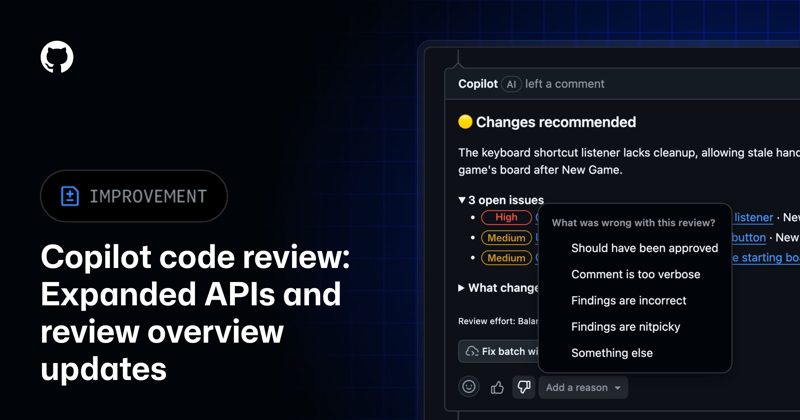
Copilot code review settings can now be managed through GitHub’s REST and GraphQL APIs at the enterprise, organization and repository level. GitHub also shipped a more compact review overview, AI credit totals per review, a three-model Balanced tier, and new usage metrics that report how many Copilot review comments developers addressed.
Last updated: November 10, 2026
Table of contents
- What changed in Copilot code review
- Managing settings through the API
- Review effort levels and cost
- How to set up automatic reviews with a chosen effort
- Measuring results with the addressed rate
- Limitations
- Frequently asked questions
- Sources
What changed in Copilot code review
GitHub announced the update in a changelog post dated November 6, 2026. It applies to the Copilot Pro, Pro+, Max, Business and Enterprise plans. The main additions are:
- Settings APIs. Code review settings can be read and updated through the REST and GraphQL APIs, from enterprise policy down to single repositories.
- Attribution fields. API responses now mark Copilot’s reviews and comments explicitly, report the review effort used when that metadata exists, and list the skills, MCP servers and custom instructions Copilot cited as sources for a comment.
- Compact overview. The effort level and any survey move into a footer, skipped and content-excluded files share one “Files not reviewed” section, and empty sections are dropped.
- Cost visibility. Code review agent sessions now show the AI credits a review consumed.
- Review quality. Balanced reviews now use three reviewer models, with another model combining their findings. On later reviews of the same pull request, findings unrelated to recent changes are collapsed and then hidden.
- Reliability. Failed or timed-out reviews are retried once, and Copilot can switch to another eligible model when the preferred one is unavailable.
A day earlier, GitHub added code review fields to the Copilot usage metrics API, covered below. If you are comparing review bots, our Devin Review 2.0 guide covers Cognition’s competing product.
Managing settings through the API
What you can change depends on your role, according to the configuration documentation:
| Level | Settings available through the API | Token support |
|---|---|---|
| Enterprise | Enable or disable code review for all organizations, or let organization owners decide | No GitHub Apps or fine-grained personal access tokens |
| Organization | Enablement (when the enterprise allows it), default review effort, runner configuration | No GitHub Apps or fine-grained personal access tokens |
| Repository | Review effort, whether reviews use custom instructions and MCP tools | GitHub Apps and fine-grained tokens with Administration read or write; classic tokens need repository admin access |
Settings your enterprise manages cannot be overridden lower down. The REST API accepts the same effort levels as the web interface, and organization and repository responses list the levels available to you. Maximum review effort, billing and approval settings are not available through the API, so you still set those in the web settings.
This makes policy as code practical: a script with a GitHub App token can set routine repositories to Lite and release-critical ones to Max.
Review effort levels and cost
Every review consumes AI credits, and GitHub publishes estimates per review in its code review overview:
| Effort level | What it does | Typical range per review | Approximate average |
|---|---|---|---|
| Lite | Standard review with fast feedback on common bugs, security issues and style | $0.05 to $1 | $0.25 |
| Balanced (default) | Higher-reasoning analysis of complex logic, security-sensitive code and cross-service changes | $0.25 to $5 | $1.50 |
| Max (public preview) | Multiple high-reasoning models for the most intensive review | $1.50 to $25 | $10 |
GitHub says these are estimates that rise with pull request size and custom instructions, and they exclude GitHub Actions minutes. For plan prices, see how much GitHub Copilot costs.
When several settings exist, Copilot uses the first that applies: the effort chosen at request time, the effort already used on the pull request, the requester’s own setting, the repository setting, the organization setting, and finally the built-in Balanced default. Model switching is not supported in code review.
How to set up automatic reviews with a chosen effort
These steps follow GitHub’s repository instructions:
- Open the repository’s Settings, click Rulesets under “Code, planning, and automation”, and choose New branch ruleset.
- Name the ruleset, set Enforcement Status to Active, and add target branches such as the default branch.
- Under Branch rules, select Automatically request Copilot code review. Optionally enable Review new pushes and Review draft pull requests, then click Create.
- Add any bots or service accounts that should skip automatic review to the ruleset’s bypass list, which the rule now honors.
- Go to Settings, Copilot, Code review, and pick the review effort level and an optional maximum.
- To automate the same configuration across many repositories, use the repository settings endpoints described in GitHub’s API section instead of clicking through each one.
Copilot reads custom instructions, AGENTS.md and skills from the pull request’s head branch, so you can test a new review skill in the same pull request that adds it.
Measuring results with the addressed rate
The November 5 metrics update adds a copilot_code_review object to each repos-1-day row in the enterprise and organization reports. Key fields:
total_comments_evaluatedandtotal_comments_addressed. Divide the second by the first for the addressed rate.- Breakdowns by severity, review tier (lite, balanced, max), comment type (such as bug, security or custom) and customization (custom instructions, skills, MCP servers or none).
total_merged_no_human_change_request_after_review, which counts merged pull requests where no person requested changes after Copilot’s first review.
Comments are counted on the day their pull request merges. Copilot usually does not evaluate comments on bot-opened pull requests. Access requires an enterprise owner, billing manager, organization owner or a custom role with the View Copilot Metrics permission, and the usage metrics policy must be on.
Compare the addressed rate for skill-driven comments against uncustomized ones to see whether a skill helps.
Limitations
- Partial API coverage. Maximum effort, billing source and Copilot approvals remain web-only settings.
- Max is in preview. GitHub labels the Max effort level as public preview and subject to change.
- Excluded files. Dependency files such as
package.json, log files and SVG files are not reviewed. - Human review still needed. GitHub states that Copilot will not catch every problem and its feedback should be validated.
Copilot code review also works in other clients, including the IDE integrations covered in our Copilot in Xcode guide and the terminal tools in our Copilot CLI 1.0.105 guide. Teams that hand fixes to the cloud agent from chat can see our @GitHub in Slack and Teams guide.
Frequently asked questions
Can I manage Copilot code review settings through the API?
Yes. As of November 6, 2026, GitHub’s REST and GraphQL APIs can enable or disable code review at the enterprise and organization level, set an organization’s default review effort and runner, and set a repository’s review effort and its use of custom instructions and MCP tools.
How much does a Copilot code review cost?
Reviews consume AI credits. GitHub estimates an average of about $0.25 per review at Lite, $1.50 at Balanced and $10 at Max, with typical ranges of $0.05 to $1, $0.25 to $5 and $1.50 to $25. GitHub Actions minutes are extra.
What is the default Copilot code review effort level?
Balanced is GitHub’s built-in default. Copilot uses the first setting that applies: the effort chosen at request time, the effort already used on the pull request, the requester’s setting, the repository setting, the organization setting, and finally Balanced.
Which tokens work with the Copilot code review settings API?
Repository settings endpoints accept GitHub Apps and fine-grained personal access tokens with Administration read or write permission. Enterprise and organization settings endpoints, including the organization runner endpoint, do not support GitHub Apps or fine-grained tokens.
What is the Copilot code review addressed rate?
It is total_comments_addressed divided by total_comments_evaluated in the copilot_code_review object of the repos-1-day usage metrics report. A comment counts as addressed when the developer applied it, asked Copilot to fix it, edited the code or deferred the fix.
Sources
- GitHub Changelog: Copilot code review API management and review overview updates
- GitHub Changelog: Usage metrics API adds code review details and addressed rate
- GitHub Docs: Configuring code review by GitHub Copilot
- GitHub Docs: GitHub Copilot code review
Image: GitHub, from the GitHub Changelog post of November 6, 2026. FreeAnswers is not affiliated with GitHub.