
Last updated: November 23, 2026
T3 Code 0.1.11 is the latest stable release of the free, open-source app that runs coding agents such as Claude Code, Codex and Antigravity from one interface. Released November 20, 2026, it adds port forwarding for remote dev servers, an Issues page for five trackers, Antigravity Auto mode and 10 app languages.
Contents
- What is new in T3 Code 0.1.11
- How to install or update T3 Code
- Browser tunnels and port forwarding
- Using the Issues page
- Antigravity Auto mode and permissions
- Cost, plans and T3 Connect limits
- Limitations
- Frequently asked questions
What is new in T3 Code 0.1.11
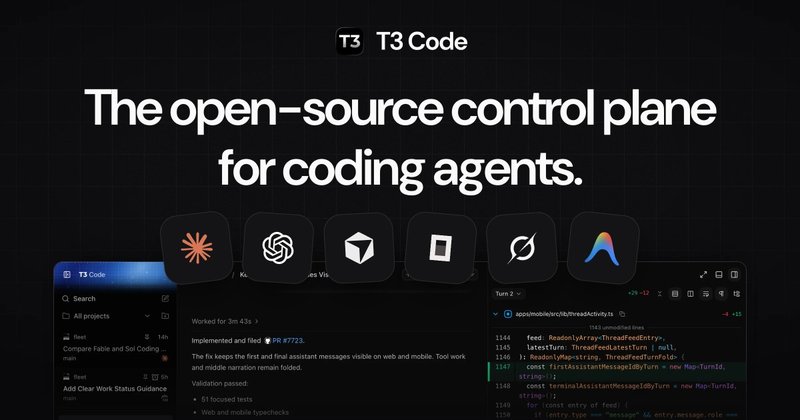
T3 Code, developed in the open in the pingdotgg/t3code GitHub repository, describes itself as “the open-source control plane for coding agents.” It does not resell model tokens. According to the project README, it drives the agents you are already signed in to and shows the same threads on desktop, web, iOS and Android.
The v0.1.11 release notes list 643 changes from 138 contributors. It follows v0.1.10 on November 17, which was much larger at 1,924 changes from 360 contributors.
| Release | Date | Headline changes |
|---|---|---|
| v0.1.11 | November 20, 2026 | Browser tunnels and port forwarding; Issues page (Linear, GitHub, GitLab, Azure DevOps, Forgejo); Antigravity Auto mode and Edit from here; whole app in 10 languages; edit earlier messages in Cursor threads |
| v0.1.10 | November 17, 2026 | Reply to a specific response; custom theme colors, CSS and background images; run as a Windows service with remote updates; keeps the computer awake while agents work; T3 Connect device approval; native resume for Claude, Codex, OpenCode and Cursor threads; Settings in nine languages |
How to install or update T3 Code
The README lists desktop downloads for macOS, Windows and Linux, plus phone apps. T3 Code needs at least one agent that is installed and signed in on the same machine.
- Install the desktop app:
brew install --cask t3-codeon macOS, orwinget install T3Tools.T3Codeon Windows. - Or install the command line:
curl -fsSL https://t3.codes/install.sh | sh, then runt3to start the server and open the web app. To try it once without installing, runnpx t3@latest. - Sign in to an agent on that machine, for example
claude auth loginfor Claude Code orcodex loginfor Codex CLI. - Open Settings → Providers, select the environment and enable the agents you want.
- For remote use, run
t3 upon the host and choose T3 Connect, the local network, or both. Then sign in to the same account on your phone or at app.t3.codes.
If you have not set up the underlying agents yet, our guides to Claude Code 2.1.330 features and Codex CLI 0.171 remote exec cover recent changes in both.
Browser tunnels and port forwarding
When an agent starts a dev server on another machine, it now opens directly in T3 Code’s in-app browser. The remote access documentation says localhost addresses in those tabs reach servers on the host, not your own computer.
To use a remote server in your own browser, curl or a database client, forward the port:
- Click the forward button next to a server in the thread’s Servers list.
- Or open Forwarded ports in the command palette, where you can type any port number and stop forwards.
- Command-click (Ctrl-click on Windows and Linux) a remote server to forward it and open it in your browser.
A forward keeps the host’s port number unless that port is taken locally, in which case T3 Code picks a free one and shows it. Forwards listen only on your computer’s loopback, never on your network, and end when you stop them or quit the app.
Using the Issues page
The source control documentation says the Issues page lists issues for every project whose remote is on GitHub, GitLab, Azure DevOps or Forgejo. Open it from the sidebar’s utility row or with Open issues in the command palette.
Linear works differently: connect it with an API key under Settings → Source control & issues, then pick one or more teams for each project. Agents file new issues in the first team you picked unless you name another bound team.
A practical workflow: filter by issues assigned to you, open one beside a thread, and select Link to this thread. Then ask the agent to fix it and open a pull request. The release notes describe handing an issue to an agent “all the way to a merged PR.”
Antigravity Auto mode and permissions
v0.1.11 adds an Auto mode for Google Antigravity that lets Antigravity’s own review approve routine steps, so it asks only when it needs you. The permission modes documentation explains how Auto fits with the other modes:
| Mode | What it does |
|---|---|
| Supervised | Asks for approval for commands and file changes |
| Auto-accept edits | Approves file edits automatically; other actions may still need approval |
| Auto | Uses the provider’s automatic review for routine actions and asks about others |
| Full access | Runs commands and edits without approval prompts (the initial default) |
Auto is available only when your Antigravity sign-in provides it; the docs say some accounts, including some personal Google accounts, do not. Without it, a thread set to Auto runs in Supervised. Set your default under Settings → Threads → New threads → Permissions, or press mod+shift+a in a thread.
For more on Google’s agent tools, see our Antigravity CLI 1.5 guide to ACP and remote agents and our OpenCode background subagents guide.
Cost, plans and T3 Connect limits
The T3 Code FAQ is direct about pricing: there is no way to pay for T3 Code, and it is MIT licensed. There is no Black Friday deal to wait for because the app itself is free.
T3 Connect, the hosted relay for remote access, is also free for now, for up to 3 machines per account. Linking a T3 Chat account raises it to 10 machines with T3 Chat Pro or 100 with Premier. The FAQ says LAN pairing and Tailscale also work.
Limitations
- Not a harness: T3 Code needs an installed, signed-in agent such as Claude Code or Codex. It does nothing on its own.
- Provider differences: Auto mode depends on each provider’s own review. OpenCode has no equivalent and falls back to asking.
- Exposure: a forwarded port behaves like a local dev server, so web pages open in your browser can reach it.
- Remote writes: changing a tracker over a remote connection requires the
source-control:writescope.
Frequently asked questions
What is new in T3 Code 0.1.11?
T3 Code v0.1.11, released November 20, 2026, adds browser tunnels and one-click port forwarding for agents on other machines, an Issues page for Linear, GitHub, GitLab, Azure DevOps and Forgejo, an Auto mode for Antigravity, and app translations in 10 languages. The release lists 643 changes from 138 contributors.
How much does T3 Code cost?
Nothing. The T3 Code FAQ says it is free and open source under the MIT license, and there is no way to pay for it. You still pay your agent provider as usual. T3 Connect is free for up to 3 machines per account; linking T3 Chat Pro raises that to 10, and Premier to 100.
Which coding agents work with T3 Code?
The project README lists Claude Code, Codex, Cursor, OpenCode, Grok Build, Antigravity, Kiro, Pi, Muse Code, fx and any ACP agent.
Is T3 Code a replacement for Claude Code or Codex?
No. The FAQ says T3 Code is not a harness and does not work without one. It drives the agents you already use, such as Claude Code or Codex, through one interface on desktop, web and phone.
Does T3 Code use more of my Claude 5-hour limit?
Not since v0.1.7, according to the FAQ. Before that, Anthropic’s 5-hour meter charged Agent SDK usage about 1.7 times more than Claude Code directly. If you still see faster drain, update T3 Code on the machine that runs your agents.
Sources
- GitHub: T3 Code v0.1.11 release notes (November 20, 2026)
- GitHub: T3 Code v0.1.10 release notes (November 17, 2026)
- T3 Code docs: FAQ
- T3 Code docs: Remote access
- T3 Code docs: Source control
Image: official T3 Code social card from t3.codes, used for editorial purposes and resized. FreeAnswers is not affiliated with T3 Code.