
Last updated: November 24, 2026
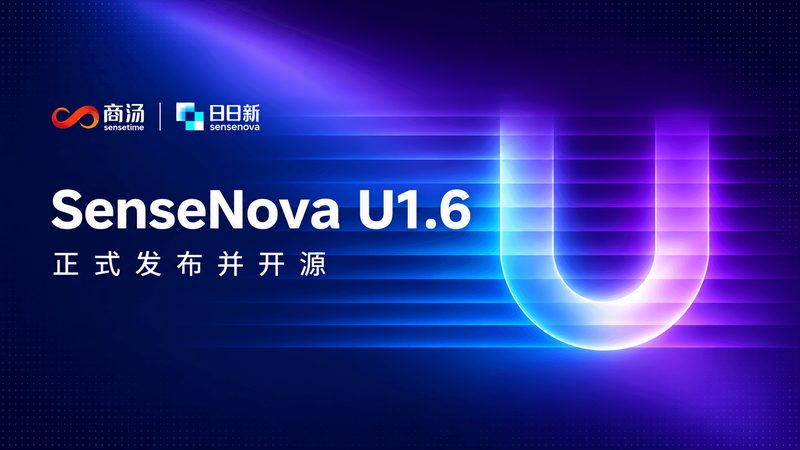
SenseNova U1.6 is SenseTime’s new open-weight 8B image model, released on November 24, 2026. It adds native self-correction, which lets the model check a generated poster or infographic against the prompt and fix text errors, plus refined aesthetics for portraits, posters and illustrations, and fast 4-step and 8-step LoRAs.
Contents
- What is new in SenseNova U1.6
- Weights, formats and license
- How to run self-correction locally
- Using U1.6 in ComfyUI
- Workflows and prompt patterns
- SenseNova U1.6 vs. U1.5
- Known limitations
- Frequently asked questions
What is new in SenseNova U1.6
SenseTime announced and open-sourced U1.6 in a news post on November 24, 2026. It keeps the U series approach of one model for both image understanding and image generation, built on the NEO-unify 8B-MoT architecture introduced with U1.5.
The official GitHub repository lists three main changes:
- Native self-correction. The model generates an infographic, reviews it against the prompt and fixes text errors while keeping the typography and layout. SenseTime says this is the first time the series brings native image self-correction to its 8B open-source model.
- Refined aesthetics. U1.6 focuses on portraits, posters and illustrations. In subjective user evaluations, SenseTime reports overall aesthetic quality about 10% higher than U1.5.
- Better text accuracy. On UltraTextBench dense infographic tasks, SenseTime reports that U1.6 Lite rose from 86.04 with single-pass generation to 92.28 with self-correction, about a 7% relative gain.
The U1.6 model guide adds that post-training now uses more experts for different content types, each with several reward signals, combined through multi-expert on-policy distillation (MOPD). These benchmark figures are SenseTime’s own and have not been independently verified.
Weights, formats and license
SenseTime published four weight repositories on Hugging Face. The model guide states that all four model cards list the Apache 2.0 license.
| Repository | Contents | Best for |
|---|---|---|
| SenseNova-U1.6-8B-MoT | Original sharded BF16 checkpoint | Default model for the quick start and all workflows |
| SenseNova-U1.6-8B-MoT-Native | Consolidated BF16, FP8 W8A8 and INT8 ConvRot W8A8 | Lower-precision runs; validated for text-to-image |
| SenseNova-U1.6-8B-MoT-GGUF | Q4_0, Q6_K and Q8_0 conversions | Smaller files; validated for text-to-image |
| SenseNova-U1.6-8B-MoT-LoRAs | 4-step and 8-step adapters, Python and ComfyUI files | Faster drafts with fewer sampling steps |
For people who do not want to self-host, the SenseTime announcement says an API version called U1.6 Lite is available in SenseTime products including Raccoon (Xiaohuanxiong), Seko and Kapi Camera, and through SenseNova Token Plan and SenseNova Studio. No API prices were listed in the sources reviewed for this guide.
How to run self-correction locally
The repository quick start targets a mostly idle Linux machine with one CUDA GPU. For the balanced memory mode, plan for 24 GB of GPU memory, 64 GB of system RAM and about 35 GB of disk space. The commands use Python 3.11 and the uv package manager.
- Clone the runtime. Run
git clone --depth 1 https://github.com/OpenSenseNova/SenseNova-U1.gitand change into the folder. The matching runtime is required; the weights alone are not enough. - Create the environment. Run
uv sync --locked --python 3.11, thensource .venv/bin/activate. - Download the weights. Run
hf download sensenova/SenseNova-U1.6-8B-MoT --local-dir ./models/SenseNova-U1.6-8B-MoT. - Test text-to-image. Run
python examples/t2i/inference.pywith--model_path, a--prompt,--vram_mode balancedand an--outputfile. - Run self-correction. Use
python examples/interleave/self_correction.py --model_path "$MODEL_PATH" --prompt "..." --output_dir outputs/u1.6/self-correction. - Review both versions. Compare the first draft with the revision, and check every name, date and number yourself before publishing.
The quick start runs the base checkpoint at 50 sampling steps. SenseTime notes that U1.5 and U1.6 have comparable memory needs for the same workload, precision and memory mode.
Using U1.6 in ComfyUI
The LoRA model card explains the ComfyUI setup. The native SenseNova workflows require ComfyUI v0.46.0 or later.
- Checkpoint. Select a U1.6 checkpoint in ComfyUI format. Comfy-Org packages the U1.6 checkpoints and the 8-step LoRA for ComfyUI.
- LoRA placement. Put the adapter in
ComfyUI/models/loras/and select it in the Load LoRA (Model Only) node. - Settings. Set LoRA strength and CFG to 1.0, and match the sampler steps to the adapter (4 or 8).
In the Python runtime, pass the adapter with --lora_path and set --num_steps to 4 or 8 to match it.
Workflows and prompt patterns
The model guide lists three workflows. These patterns follow the official examples:
| Workflow | Input | Example prompt pattern |
|---|---|---|
| Text-to-image | A text prompt | “A two-tone jazz concert poster with the title MIDNIGHT JAZZ.” |
| Image editing | A reference image and an edit instruction | Describe one change per request, such as a new style or camera look |
| Native self-correction | A text prompt, optionally with a reference image | “Create a concert poster with the exact title MIDNIGHT JAZZ and the date May 12.” |
Self-correction is most useful when exact wording matters. State the required text word for word and label it, for example “the exact title” and “the date,” as SenseTime does in its sample. For seasonal work, such as holiday sale posters, year-end event flyers or a New Year countdown infographic, keep a draft at 4 or 8 steps, then run the base model with self-correction for the final version.
SenseTime’s announcement also highlights camera-style prompts for portraits, such as film grain, vintage color and motion blur, and artistic or handwritten lettering on posters.
SenseNova U1.6 vs. U1.5
The closest comparison is the previous version. The repository news log gives both release histories.
| SenseNova U1.5 | SenseNova U1.6 | |
|---|---|---|
| Release date | August 20, 2026 | November 24, 2026 |
| Architecture | NEO-unify 8B-MoT | NEO-unify 8B-MoT, comparable memory needs |
| Main focus | Instruction following, text and layout, native 4K generation, image editing | Aesthetics, creative expression, native self-correction |
| Self-correction | Not listed | Yes, trained on infographics |
| Fast adapters | 8-step LoRA (V2 on September 24) | 4-step and 8-step LoRAs |
| License | Apache 2.0 | Apache 2.0 |
For other image models, compare our MiniMax H3-Image guide to open weights and API pricing and the Seedream 5.5 guide to multi-turn edits. If you prefer a hosted tool, see our Firefly AI Assistant guide or the current Gemini image generation limit. For running other open models on your own GPU, the Hy4 open weights self-hosting guide covers GGUF setup.
Known limitations
- Validation still needed. The model card says complex layouts, dense text, small human details and long or multi-reference editing may require further validation.
- Runtime dependency. The matching SenseNova-U1 GitHub revision is required. U1.5 interleaved-generation assumptions should not be applied to U1.6 without testing.
- Narrow self-correction training. Self-correction was trained on infographics. SenseTime says it carries over to some other image types, not all.
- Heavy hardware. The balanced setup still needs a 24 GB GPU and 64 GB of RAM, which is beyond most consumer laptops.
- Tested scope of conversions. The Native and GGUF model cards document text-to-image validation with the SenseNova-U1 runtime, so test editing and self-correction yourself before relying on them.
Frequently asked questions
What is SenseNova U1.6?
SenseNova U1.6 is an 8B open-weight native multimodal model from SenseTime, released on November 24, 2026. One model handles text-to-image generation, image editing and a new native self-correction workflow for text-heavy images such as posters and infographics.
What does self-correction do in SenseNova U1.6?
After generating an image, the model compares it with the original prompt, writes a critique and generates a revision. SenseTime says it targets blurred text, typos, garbled characters and incorrect numbering. Training focused on infographics.
Is SenseNova U1.6 free to use?
The weights are free to download on Hugging Face under the Apache 2.0 license. SenseTime also offers an API version, U1.6 Lite, inside its own products, but the sources reviewed for this guide do not list API prices.
What hardware do I need to run SenseNova U1.6 locally?
The official quick start uses one CUDA GPU on Linux. For the balanced memory mode, SenseTime advises 24 GB of GPU memory, 64 GB of system RAM and about 35 GB of disk space for the weights.
Does SenseNova U1.6 work in ComfyUI?
Yes. The repository says U1.6 is officially supported in ComfyUI. The native SenseNova workflows require ComfyUI v0.46.0 or later, and Comfy-Org publishes repackaged checkpoint and LoRA files.
Sources
- SenseTime: SenseNova U1.6 official release announcement (Chinese, November 24, 2026)
- OpenSenseNova/SenseNova-U1 GitHub repository (README and news)
- SenseNova-U1.6 model guide
- Hugging Face: SenseNova-U1.6-8B-MoT model card
- Hugging Face: SenseNova-U1.6-8B-MoT-LoRAs model card