
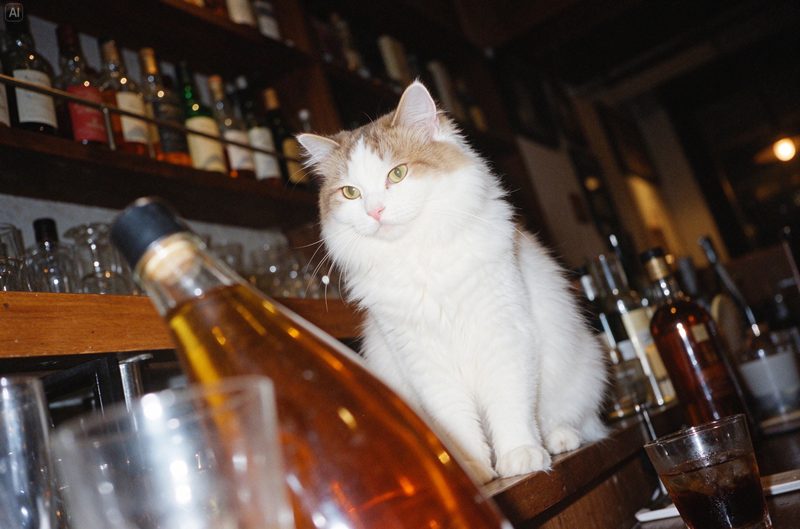
Seedream 5.5 is ByteDance Seed’s new image generation and editing model, announced November 9, 2026. It keeps unedited regions pixel-stable across up to 100 rounds of edits, generates transparent RGBA assets directly, and renders realistic lighting and dense small text more accurately than Seedream 5.0 Pro.
Last updated: November 9, 2026
Table of contents
- What is new in Seedream 5.5
- Seedream 5.5 vs. Seedream 5.0 Pro
- Where to use it and what it costs
- How to run a multi-turn edit
- Prompt patterns for transparent assets
- Limitations and open questions
- Frequently asked questions
- Sources
What is new in Seedream 5.5
The Seedream 5.5 launch post from ByteDance’s Seed team names three upgrades. Each one targets a common pain point in production image work rather than raw novelty.
- Stable multi-turn editing. Unedited regions are preserved at the pixel level, without color shifts, and detail loss across successive edits is reduced. ByteDance demonstrates 100 consecutive edits on one portrait, where each output becomes the next input.
- Native RGBA output. The model writes an alpha channel directly, with full and partial transparency. Edges, feathers and gaps are rendered as part of generation, so there is no separate background-removal step.
- More realistic images and clearer text. Lighting, materials and skin look more natural, with less gloss and overexposure. Dense small text in English and Chinese is rendered more accurately.
The BytePlus Seedream product page also lists editable layers among the 5.5 features, next to precise editing, enhanced realism, small text and transparent backgrounds.
Seedream 5.5 vs. Seedream 5.0 Pro
ByteDance tested both models across six production use cases (e-commerce, marketing, film and television, gaming, office productivity and fashion design) on its MagicArena platform. The figures below are vendor-reported.
| Area | Seedream 5.0 Pro | Seedream 5.5 |
|---|---|---|
| Multi-turn editing | Detail loss could build up across edits | Pixel-level preservation of unedited areas, shown over 100 rounds |
| Transparent output | Not described as native | Native RGBA with full and partial transparency |
| Usability rate | Baseline | Higher in all six use cases; more than double in film and TV and in office productivity |
| Text errors | Higher | 0.4% severe and 1.7% minor text corruption |
| Realism (image-to-image) | Baseline | +55.62% GSB preference score vs. the previous version |
| API price per image (BytePlus ModelArk) | $0.045 up to 1.5K, $0.09 above | Not yet listed on the ModelArk pricing page |
The 5.0 Pro prices come from the BytePlus ModelArk pricing page, which on November 9, 2026 listed Seedream 5.0 Pro, 5.0 Flash and 5.0 Lite but no 5.5 line yet. Against outside models, ByteDance says Seedream 5.5 leads GPT Image 2.5 Sunburst and Nano Banana 2.1 on text structure. For the OpenAI side of that comparison, see our ChatGPT Images 2.6 guide.
Where to use it and what it costs
Availability depends on the region and the product you use:
- Consumer apps in China. Sina Tech reported that Doubao, Doubao Work and Jimeng had Seedream 5.5 at launch.
- International. The Seedream 5.5 model page links to the Dola chat app and the BytePlus ModelArk playground.
- API. BytePlus titles its product page “Seedream 5.5 Official API” and sells first-purchase packages of 700, 1,800 and 3,500 Seedream 5.5 images, valid for 30 days, with prices starting at $0.02 per image. Sina Tech reported that the Volcano Engine Ark API for mainland China is coming soon.
On billing, Sina Tech’s launch report says the API keeps the two-part input-image plus output-image structure, with no charge for text tokens. A 2K square edit costs about 0.28 yuan, which Sina says is less than half the Seedream 5.0 Pro price. ByteDance has not published an official API model ID for 5.5 on its pricing page, so check the ModelArk console for the exact ID before you change production code.
How to run a multi-turn edit
The 100-round demo shows how ByteDance expects people to work: one image refined step by step instead of regenerated from scratch.
- Generate or upload a base image in the Dola app, the BytePlus playground or your API client.
- Make one targeted change per turn, naming the object and its location, for example “replace the ring on her left hand with a thin silver band”.
- Use the previous output as the next input, so every edit builds on the last accepted version.
- Name what must stay fixed when the change is near other detail, such as “keep the eyeglass frames and lighting unchanged”.
- Check small objects and contact points after each round, since the demo focuses on rings, glasses and accessories touching skin.
- Export the version you want, and request a transparent background at that point if the subject will be reused elsewhere.
The same pattern works for interiors. ByteDance’s room demo moves a box around a study across many edits while the model updates perspective, occlusion and cast shadows.
Prompt patterns for transparent assets
The prompts on the official model page show how to ask for RGBA output. Useful patterns include:
- Isolate a subject: “Extract the flamingo from the image and output it as a separate RGBA layer with a transparent background.”
- Sticker sets: ask for two themed sets and “keep the background transparent outside the sticker elements”.
- Character kits: request each character “as a separate image with a transparent background” so they can be combined later.
- Styled lettering: give a texture reference and ask for the word in that style “with a transparent background outside the lettering”.
- Sequences: ask for each frame of a motion “on a separate layer with a transparent background”.
If you also make short clips, our Gemini Omni 1.2 Flash guide covers Google’s video model, and the Grok Imagine Image 2.0 guide covers xAI’s image API.
Limitations and open questions
- No independent benchmarks yet. Every quality and usability figure comes from ByteDance’s own evaluations.
- Pricing is still incomplete. The ModelArk pricing table did not list 5.5 on launch day, and the $0.02 figure is a new-customer package starting price, not a standard rate.
- Pro tier pending. ByteDance says a Seedream 5.5 Pro version will follow, with support for more complex context inputs and instructions.
- Region differences. The Chinese apps and API (Doubao, Jimeng, Volcano Engine) and the international ones (Dola, BytePlus) roll out separately.
Frequently asked questions
When was Seedream 5.5 released?
ByteDance Seed announced Seedream 5.5 on November 9, 2026. Sina Tech reported the same day that it was already live in the Doubao, Doubao Work and Jimeng apps, with the Volcano Engine Ark API in China coming soon.
How much does Seedream 5.5 cost?
BytePlus advertises per-image pricing starting at $0.02 per image for new users, through first-purchase packages of 700, 1,800 or 3,500 Seedream 5.5 images valid for 30 days. Sina Tech reports that a 2K square edit costs about 0.28 yuan in China, less than half the Seedream 5.0 Pro price.
Can Seedream 5.5 make transparent PNG images?
Yes. ByteDance says Seedream 5.5 generates RGBA images with an alpha channel directly, including full and partial transparency, so stickers, product cutouts and lettering can be used without separate background removal.
Is there a Seedream 5.5 Pro?
Not yet. ByteDance says a Pro version of the Seedream 5.5 series will follow, without giving a date. The current release is the standard Seedream 5.5 model.
How does Seedream 5.5 compare with GPT Image and Nano Banana?
In ByteDance’s own expert preference tests, Seedream 5.5 led GPT Image 2.5 Sunburst and Nano Banana 2.1 on text structure in both text-to-image and image-to-image tasks, with a substantial lead in text-to-image realism. These results are vendor-reported and not independently verified.
Sources
- ByteDance Seed: Introducing Seedream 5.5 (November 9, 2026)
- ByteDance Seed: Seedream 5.5 model page
- BytePlus: Seedream 5.5 Official API product page
- BytePlus ModelArk: Model pricing
- Sina Tech: ByteDance releases Seedream 5.5 (in Chinese, November 9, 2026)
Image: Seedream 5.5 sample output from the ByteDance Seed model page, used for editorial purposes. FreeAnswers is not affiliated with ByteDance.
1 thought on “Seedream 5.5: Power-User Guide to Multi-Turn Edits, Transparent Assets and API Access”