
Last updated: November 6, 2026
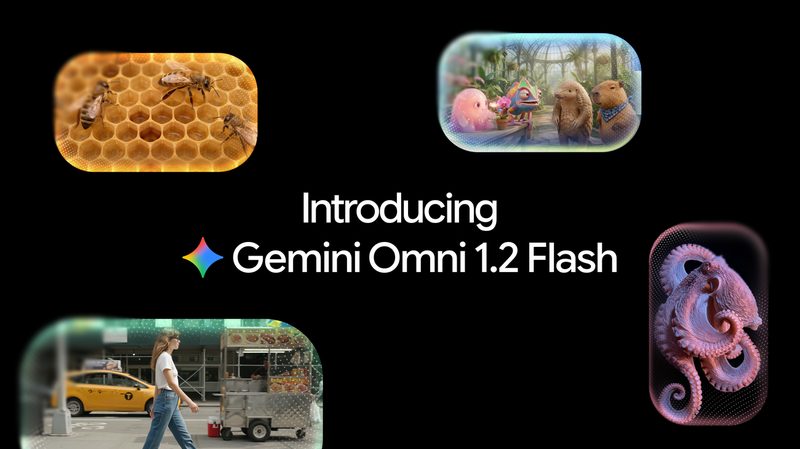
Gemini Omni 1.2 Flash, generally available November 5, 2026, generates and edits videos with native audio up to 15 seconds, improves reference consistency, adds multi-turn conversational edits, and cuts 720p API video pricing about 30% to roughly $0.07 per second on model ID gemini-omni-1.2-flash.
Contents
- What is new in Omni 1.2 Flash
- Omni 1.1 vs 1.2
- Pricing and resolutions
- How to generate a 15-second clip
- Access paths
- Limits
- FAQ
Facts come from the Google blog announcement, Google Cloud GA post, Gemini API Omni guide, and Gemini API pricing. Related FreeAnswers guides: Gemini CLI 0.67, Antigravity CLI 1.5, and Gemini API CLI.
What is new in Omni 1.2 Flash
Google positions Omni 1.2 Flash for product clips, virtual try-ons, ads, and explainers. Versus Omni 1.1 Flash, native length rises from 10 to 15 seconds, reference following for characters, products, and brand details is stronger, and multi-turn conversational editing works across full clips so you can swap a product, background, lighting, or aspect ratio without regenerating from scratch.
The model takes text, images, and video and outputs video with synchronized audio. The Gemini API Omni guide highlights the Interactions API for conversational editing and extension, plus up to six reference images for character consistency. Google Cloud lists generate-from-text/image/references, first-and-last-frame video, sound, editing, extension, upscaling, and C2PA credentials. Outputs carry an imperceptible SynthID watermark. Google still flags limits on fast sports, rapid script changes, and complex physics. See also our Gemini Computer Use guide.
Omni 1.1 vs 1.2
| Feature | Omni 1.1 Flash | Omni 1.2 Flash |
|---|---|---|
| Max native clip length | 10 seconds | 15 seconds (3–15s) |
| 720p video price | ~$0.10/s ($17.50/1M tokens) | ~$0.07/s ($12.00/1M tokens) |
| Reference adherence | Prior Omni Flash | Stronger product/character consistency |
| Conversational editing | Available | Multi-turn across full 15s clips |
| Status | Routes to 1.2 on Dec 3, 2026 | GA Nov 5, 2026 |
Effective December 3, 2026, requests to gemini-omni-1.1-flash route to gemini-omni-1.2-flash and are billed at 1.2 rates.
Pricing and resolutions
Paid Gemini API Standard rates: $1.50 per 1M input tokens (text/image/video) and $12.00 per 1M video output tokens ($9.00 text output). Free tier is not available for this model. Video billing uses 5,792 tokens per second at 720p, about $0.07/s (~$0.70 for 10s, ~$1.04 for 15s). Omni 1.1 was $17.50 per 1M video tokens (~$0.10/s).
| Resolution | Tokens/s | Approx. $/s | Approx. $/15s |
|---|---|---|---|
| 360p | 1,931 | ~$0.023 | ~$0.35 |
| 720p (default) | 5,792 | ~$0.07 | ~$1.04 |
| 1080p (upsampled) | 8,688 | ~$0.104 | ~$1.56 |
| 4K (upsampled) | 17,376 | ~$0.209 | ~$3.14 |
Default resolution is 720p; 1080p and 4k are upsampled. Draft at 360p or 720p, edit, then upscale. Aspect ratios: 16:9 and 9:16. Model card frame rate: 24 FPS.
How to generate a 15-second clip
- Use a paid-tier Gemini API key and the current Google GenAI SDK.
- Call
interactions.createwithmodel="gemini-omni-1.2-flash"and a detailed prompt (scene, camera, lighting, mood). - Set
response_format:type: "video",duration: "15s"(allowed"3s"–"15s"; default"10s"), optionalaspect_ratio("16:9"/"9:16") orresolution("360p"/"720p"/"1080p"/"4k"). - Decode
output_videobytes to an MP4. - For image or reference workflows, pass image parts plus text; optional
generation_config.video_config.taskvalues includetext_to_video,image_to_video,reference_to_video,edit, andextend. - Refine with a follow-up turn instead of regenerating the whole clip when you only need a product, background, or lighting change.
- Confirm SynthID provenance if your workflow requires it.
Reference caps: up to six images for all durations; up to three reference videos (≤3s each) for 3–10s clips; one reference video for 11–15s clips. Reference-video audio is ignored; reference videos apply to new generation, not edit/extend. Prototype in Google AI Studio.
Access paths
Distribution covers the Gemini API, AI Studio, Google Cloud / Vertex AI, Gemini app, Gemini for business, Flow, Vids / Workspace, YouTube, and Ads tools. Google Cloud lists Provisioned Throughput as supported; the Gemini API Omni guide says provisioned throughput is not supported on that API path—pick the surface that matches your quotas. Google Vids offers 15-second clips at no additional cost with a Google account or Workspace; the Gemini app path is rolling out to AI Ultra. Related reading: Gemini App new features and Gemini 4 Carbon.
Limits
Output max 15 seconds; editing input max 15 seconds; extension uses the last 10 seconds and can grow toward ~30 seconds total; first-and-last-frame max 10 seconds. Omni guide restrictions: no audio input/reference uploads on the current API; no voice editing; no YouTube media; no system instructions, temperature, top_p, stop sequences, or negative-prompt fields; no multi-video referencing; uploaded-video edit/extend unavailable in the EEA, Switzerland, and the UK; images of minors unsupported in those regions. Cloud notes audio references may be allowlisted.
FAQ
What is Gemini Omni 1.2 Flash?
Gemini Omni 1.2 Flash is Google DeepMind’s generally available video generation and editing model. Model ID gemini-omni-1.2-flash creates and edits clips with native audio up to 15 seconds, follows image and short video references, and supports multi-turn conversational edits through the Interactions API on the Gemini API and Google Cloud.
When was Gemini Omni 1.2 Flash released?
Google announced Gemini Omni 1.2 Flash and general availability on November 5, 2026. The Google Cloud model page lists the release date as November 5, 2026, with launch stage GA.
How much does Gemini Omni 1.2 Flash cost?
On the paid Gemini API tier, Standard pricing is $1.50 per 1M input tokens (text/image/video) and $12.00 per 1M video output tokens ($9.00 for text output). At 5,792 tokens per second of 720p video that is about $0.07 per second (~$1.04 for 15 seconds), about 30% less than Omni 1.1 Flash’s video output rate.
How long can Omni 1.2 Flash clips be?
Generation and editing output runs from 3 to 15 seconds in one-second steps (default 10s). First-and-last-frame interpolation is capped at 3–10 seconds. Per-turn extension adds 3–10 seconds using the last 10 seconds of input, up to about 30 seconds total.
Which API do I call for Omni 1.2 Flash?
Use the Interactions API with model gemini-omni-1.2-flash (for example client.interactions.create). Google Cloud docs list Interactions API as supported and GenerateContent as not supported for this model. Prototype in Google AI Studio.
What are the main limits for developers?
The Gemini API Omni guide notes that audio input/reference uploads are unsupported on the current API, voice editing is unsupported, provisioned throughput is not supported on that API surface, YouTube media sources are unsupported, and editing or extending uploaded videos is unavailable in the EEA, Switzerland, and the UK (model-generated clip edits remain supported there).
Sources
- Google blog: Introducing Gemini Omni 1.2 Flash
- Google Cloud blog: Gemini Omni 1.2 Flash generally available
- Gemini API docs: Generate and edit videos with Gemini Omni Flash
- Gemini API pricing (Omni 1.2 Flash)
- Gemini API model card: Gemini Omni Flash