
Last updated: November 11, 2026
Alpie Seed 9B is an open-weight model from 169Pi that runs fully offline on laptops, workstations and some phones. It reads text, images and video, has thinking and non-thinking modes, and lists a 262K-token context window. It is free under Apache 2.0 and installs with one Ollama command.
Contents
- What Alpie Seed is and what is new
- Specs, builds and where to get it
- How to run Alpie Seed locally
- Benchmarks compared with Qwen3.5-9B
- Speed on real devices
- Workflows for power users
- Limitations
- Frequently asked questions
This guide is based on 169Pi’s Alpie Seed 9B research post, the official Alpie Seed product page, the Hugging Face model card and the Ollama library page.
What Alpie Seed is and what is new
169Pi launched Alpie Seed on November 6, 2026, according to its launch announcement. The company describes it as a 9-billion-parameter hybrid-reasoning vision-language model built “to run across devices, not just data centres.”
The model keeps the Qwen3.5-9B architecture. 169Pi changed its behavior through post-training: a DoRA adapter trained with supervised fine-tuning, then reinforcement learning with GRPO. The research post says the reward system scored seven factors, including correctness, a hallucination penalty and a length penalty.
Compared with its Qwen3.5-9B base, the main changes for users are higher reported scores on reasoning and coding tests, ready-made 2-bit, 3-bit and 4-bit builds, and device testing on phones and CPU-only PCs.
Specs, builds and where to get it
| Item | Alpie Seed 9B |
|---|---|
| Developer | 169Pi |
| Parameters | 9B |
| Base model | Qwen3.5-9B, post-trained with SFT and GRPO |
| Input | Text, image and video |
| Modes | Thinking and non-thinking |
| Context window | 262,144 tokens native (Ollama tags list 256K) |
| Builds | 16-bit weights plus 2-bit, 3-bit and 4-bit GGUF |
| License | Apache 2.0 |
| Where to get it | Hugging Face, Ollama, Kaggle; launch materials also name LM Studio and PocketPal |
The Ollama page lists four tags. The default alpie-seed:latest is about 5.6 GB, q2 is 3.8 GB and q3 is 4.6 GB; all three are text only. The vision tag is 6.6 GB and adds image input.
You can also try the model in the browser through the Alpie Playground. 169Pi has opened invite-only access to Alpie Local, a coding agent built on Alpie Seed, with wider access planned later in November.
How to run Alpie Seed locally
These steps follow the Ollama page, the GGUF model card and the main model card:
- Install Ollama and run
ollama run 169pi/alpie-seedto download and chat with the default 4-bit build. - On a machine with little memory, use
ollama run 169pi/alpie-seed:q2or:q3instead. - For image questions, run
ollama run 169pi/alpie-seed:vision. - To use llama.cpp, download the GGUF files with
hf download 169Pi/Alpie_Seed_GGUF, pick the Q2, Q3 or Q4 file, and startllama-cli -m your-file.gguf -cnv. Add-ngl 99to offload layers to an NVIDIA GPU. - To serve an OpenAI-compatible API, run
vllm serve 169Pi/Alpie_seed --max-model-len 262144 --reasoning-parser qwen3. Add--enable-auto-tool-choice --tool-call-parser qwen3_coderfor tool calls. - With Transformers 5.2 or later, pass
enable_thinking=TrueorFalseto the chat template to switch modes.
If you are sizing hardware, our Ollama system requirements answer and LM Studio system requirements answer cover the basics.
Benchmarks compared with Qwen3.5-9B
169Pi reports these results from the FP16 model with extended thinking on. Comparison scores come from other vendors’ published reports and were not re-run by 169Pi, so treat the gaps as indicative.
| Benchmark | Alpie Seed 9B | Qwen3.5-9B |
|---|---|---|
| GPQA Diamond | 84.32 | 81.7 |
| LiveCodeBench v6 | 72.99 | 65.6 |
| SWE-Bench Verified | 61.2 | 60.0 |
| AIME 2026 | 83.33 | 69.4 |
| OCRBench | 90.30 | 89.2 |
| MathVision | 76.76 | 78.9 |
Not every result favors Alpie Seed. On the model card, Qwen3.5-9B is listed higher on MathVision, MMMU-Pro and MMStar. 169Pi also reports evaluations in ten Indian languages, with an overall MMLU Indic score of 73.67%.
Speed on real devices
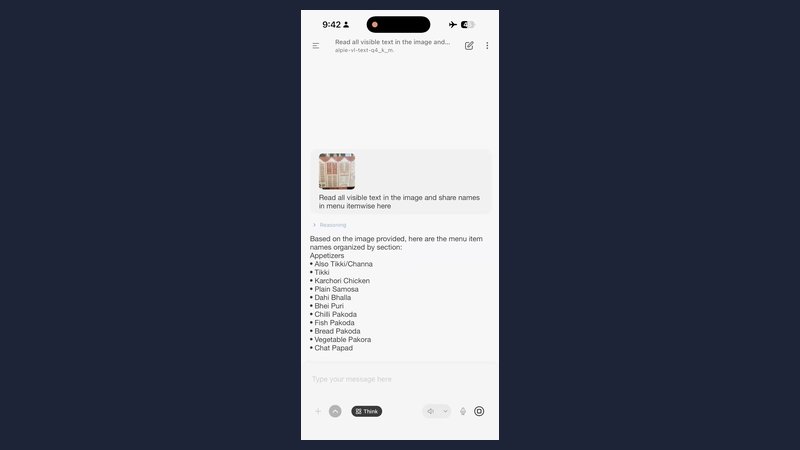
The research post lists offline tests with quantized builds of about 5.2 to 5.6 GB:
- NVIDIA RTX PRO 4500: 110.66 tokens per second
- Mac M2 with 16 GB: about 14.1 tokens per second
- iPhone 17 Pro: 9.59 tokens per second
- Samsung Galaxy Z Flip8: 5.90 tokens per second
- Windows, CPU only: 1.95 tokens per second
The product page shows slightly different figures for some devices, such as 106.7 tokens per second on the RTX PRO 4500. Expect your results to vary with runtime, context length and cooling.
Workflows for power users
- Private document reading. Use the vision tag to pull text from scans, screenshots and charts without sending files to a cloud service.
- Offline coding help. Serve the model with vLLM and point a coding tool at the local OpenAI-compatible endpoint.
- Mode switching. Turn thinking on for math and debugging, and off for quick replies to save time and tokens.
- Size testing. Compare q2, q3 and the default build on your own prompts before choosing one for a laptop fleet.
For other recent local models, see our Ollama 0.40.15 guide, our Recursive Flint guide and our Bielik 11B v3.1 guide.
Limitations
- All benchmark numbers are 169Pi’s own and apply to the FP16 model, not the 2-bit, 3-bit or 4-bit builds.
- The 262K context was not tested in 169Pi’s memory profiling, which stopped at 32K tokens.
- Handwriting recognition scored lower than printed text, at 76% on the OCRBench category.
- The default and q2/q3 Ollama tags are text only; images need the vision tag or a matching vision projector.
- 169Pi has not published its training data mix.
Frequently asked questions
What is Alpie Seed?
Alpie Seed 9B is an open-weight multimodal model from 169Pi, an AI company based in India. It is built on Qwen3.5-9B and post-trained with supervised fine-tuning and GRPO reinforcement learning. It accepts text, image and video input, supports thinking and non-thinking modes, and is designed to run offline.
Is Alpie Seed free to use commercially?
Yes. 169Pi releases Alpie Seed under the Apache 2.0 license, which allows personal and commercial use subject to the license terms. Running it locally has no per-token charge; your costs are your own hardware and electricity.
How do I run Alpie Seed in Ollama?
Install Ollama and run ollama run 169pi/alpie-seed. The default tag is about 5.6 GB and text only. Use the q2 (3.8 GB) or q3 (4.6 GB) tags for less memory, or the vision tag (6.6 GB) for image input.
What is the Alpie Seed context window?
169Pi lists a native context window of 262,144 tokens. The Ollama tags show 256K. In practice, usable context depends on your runtime settings and memory, and 169Pi’s own memory profiling only went up to 32K tokens.
Can Alpie Seed run on a phone?
Yes, with a quantized build. 169Pi tested it offline on an iPhone 17 Pro at about 9.6 tokens per second and on a Samsung Galaxy Z Flip8 at about 5.9 tokens per second. Its launch materials name the PocketPal app as one way to run it on a phone.
Sources
- Alpie Seed 9B: Intelligence Beyond the Cloud (169Pi research post)
- Alpie Seed, official 169Pi product page
- 169Pi/Alpie_seed model card (Hugging Face)
- 169pi/alpie-seed (Ollama library)
- 169Pi Launches Alpie Seed (CXOtoday, November 6, 2026)