
Last updated: November 18, 2026
Devin Bots are persistent agents that Cognition released on November 17, 2026. Instead of finishing one task, a Bot owns an outcome such as “keep Android at parity with iOS.” It plans the work, starts and monitors Devin sessions, remembers what it learns, and brings you only the decisions that need a person.
Contents
- What Devin Bots are
- How to create your first Bot
- Working with a Bot: Needs you, automations and modes
- Sharing, access and security
- Usage limits and billing by plan
- Devin Bots vs. regular Devin sessions
- Power-user tips and limitations
- Frequently asked questions
What Devin Bots are
Until now, one request to Devin started one session. In the launch post, Cognition describes a Bot as “a persistent agent with its own memory and tools that can lead multiple Devins in parallel.” You give it a large project or an ongoing goal, and it investigates, delegates work and checks the results to decide what to do next.
The Devin Desktop changelog lists Bots as available in version 3.14.30819 on November 17, 2026. The same post says Bots are available at devin.ai/bots, and the Devin Bots documentation covers setup in the Devin web app.
Cognition reports several internal uses. One Bot built an Android app for Devin over 44 days, merging 1,134 pull requests while its engineer sent 183 messages. These are the company’s own figures, not independent tests.
How to create your first Bot
These steps follow the official setup guide:
- In the Devin sidebar, open the Bots section and click Create new Bot.
- Pick a template, such as QA Engineer or Data Analyst, or choose Start from scratch, and name the Bot.
- In the Bot’s chat, state the outcome it owns, for example:
You own the Android app now. Keep it at feature parity with iOS. - Give the Bot the connections, MCP servers and secrets it needs, or approve its requests for access as they come up.
- Optionally, give the Bot its own Slack app or link it to iMessage so your team can reach it outside the web app.
- Check in from time to time with a message such as
anything waiting on me?and work through the Needs you list.
A new Bot is private to you until you share it. A Devin session can also propose a new Bot when its work calls for one, but the Bot is created only when you approve it.
Working with a Bot: Needs you, automations and modes
Cognition’s main advice is to give a Bot an outcome, not a task: “own checkout” rather than “fix the checkout button.” After that, most messages are check-ins or answers to the Bot’s questions.
The Needs you list opens from the Bot’s name at the top of its chat. It holds decisions (the Bot marks the option it recommends), pull requests to review or merge, permission requests for things like new access, an automation, a network host or a higher usage limit, and reports.
To set up an automation, ask in chat, for example for a morning summary of open pull requests. The Bot builds it and may ask for approval. You can pause, resume or remove automations on the Automations page of the Bot’s settings.
A Bot has two modes. One is the mode the Bot itself runs in. The other, Child Capability, is the default for the sessions it starts, and only people who can configure the Bot can change it.
Sharing, access and security
The most important point in the access and security documentation is that a Bot works with its own access, not the access of whoever messages it. If you share a Bot, everyone you add can use every sign-in, secret and session the Bot holds, simply by asking it.
Sharing has three separate levels. Can use lets someone message the Bot and read its conversation, memory and sessions. Can configure lets them change its instructions, connections, plugins and secrets. Can share lets them decide who else gets access. None of the levels includes another.
A grant never exceeds the person who gave it, and a sign-in lasts only while that person still has it. A private Bot can use its creator’s resources without asking, while a shared Bot needs someone to approve each new piece of access. On Enterprise plans, custom roles add Use Bots, Manage Bots and Manage Bots across the enterprise permissions.
Usage limits and billing by plan
Cognition does not publish a separate price for Bots. According to the usage limits page, a Bot’s usage is its chat plus every session it starts, and the Bot’s creator pays for it.
| Plan | Who pays | How to cap it |
|---|---|---|
| Max | The creator: included quota first, then on-demand credits | No separate usage limit for a Bot |
| Teams | The creator’s included quota, then the team’s on-demand credits | On-demand cap in dollars, or a separate usage limit set by an admin |
| Enterprise | Counts toward the creator’s own usage limit | ACU limit or spending limit, depending on the contract |
On Teams, a creator on a flex seat has no included quota, so all of that Bot’s usage is on-demand. On Teams and Enterprise, admins get a Bots page listing every Bot with its creator, usage and limit.
Devin Bots vs. regular Devin sessions
| Feature | Regular Devin session | Devin Bot |
|---|---|---|
| Unit of work | One request starts one session | One outcome, as many sessions as the work takes |
| Follow-up | You decide the next step | Plans next steps and monitors child sessions until the outcome is done |
| Access | The access of the person who started it | The Bot’s own connections, secrets and grants |
| Where you reach it | Devin app and its integrations | Its own chat, its own Slack app, or iMessage |
Bots build on recent Devin features. Our guides to Devin Phonebook and Mark done, Devin Apps and Devin Review 2.0 cover pieces a Bot can use. For other approaches to persistent and multi-agent work, see our guides to Grok Bot 1.0 and Antigravity /swarm.
Power-user tips and limitations
- Review access before sharing. Revoke personal sign-ins on the What it can access tab, and give the Bot its own account for tools everyone will use through it.
- Define success and feedback. Cognition says a Bot needs to know which constraints apply and needs tests, benchmarks or production signals to judge its own work.
- Set a cap early. On Teams and Enterprise, set an on-demand cap or ACU limit so a busy Bot cannot run through shared credits.
- Treat memory as shared. Anything a shared Bot remembers can be read by everyone who can use it.
Frequently asked questions
What are Devin Bots?
Devin Bots are persistent agents from Cognition that own an outcome instead of a single task. A Bot plans the work, starts a separate Devin session for each piece, follows up on those sessions and keeps its own memory, connections and secrets.
How much do Devin Bots cost?
Cognition does not list a separate Bot price. The documentation says a Bot’s chat and every session it starts count toward plan usage and are billed to the Bot’s creator, with caps that depend on the Max, Teams or Enterprise plan.
Can I talk to a Devin Bot in Slack or iMessage?
Yes. Besides the Devin web app, a Bot can have its own Slack app that people @-mention or DM, and you can link one of your Bots to iMessage and text it from your phone.
Can a Devin Bot act without a message from me?
Yes. You can ask a Bot to set up automations that run on a schedule or when something happens in your tools, such as a morning summary of open pull requests. It may ask you to approve the automation first.
Sources
- Cognition: Introducing Devin Bots: from tasks to outcomes
- Devin Docs: Devin Bots
- Devin Docs: Devin Bot usage limits
- Devin Docs: Devin Bot access and security
- Devin Docs: Devin Desktop changelog
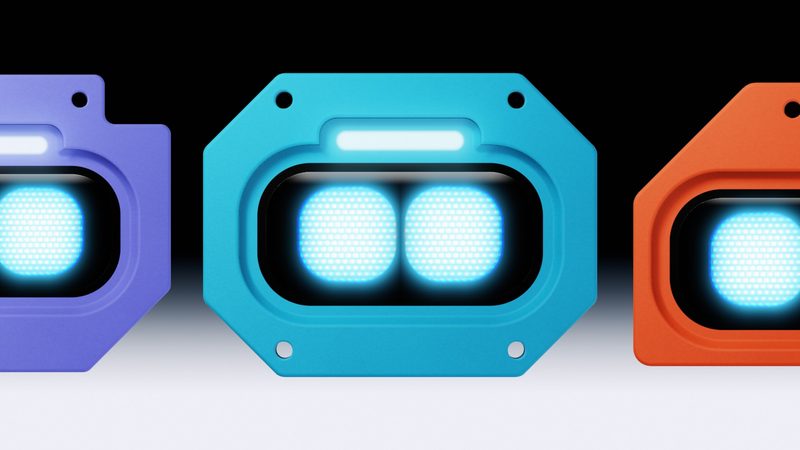
Image: Devin Bots announcement cover, Cognition, used for editorial purposes.