
Last updated: November 9, 2026
To calculate a percentage, divide the part by the whole and multiply by 100. For example, 42 out of 50 is (42 ÷ 50) × 100 = 84%. To find a percentage of a number, turn the percent into a decimal and multiply: 15% of 80 is 0.15 × 80 = 12.
Below is how to calculate percentage problems of every common type, from discounts to Excel formulas.
Contents
- What is the percentage formula?
- Percentage formulas at a glance
- How to calculate a percentage of a number
- How to calculate what percent one number is of another
- How to calculate percentage increase or decrease
- How to calculate percentage off a price
- How to find the original number from a percentage
- Percent vs. percentage points
- How to calculate percentage in Excel and Google Sheets
- How to calculate percentages in your head
- Frequently asked questions
What is the percentage formula?
“Percent” comes from the Latin per centum, meaning “by a hundred,” and a percentage is a fraction written with 100 on the bottom: 20% is 20/100 (House of Commons Library). The U.S. National Institute of Standards and Technology describes the % symbol as simply standing for the number 0.01 (NIST Guide to the SI, Section 7.10.2). That is why the core percentage formula is:
percentage = (part ÷ whole) × 100
Every other percentage calculation rearranges that equation: know any two of part, whole and percent, and you can find the third.
Percentage formulas at a glance
| What you want to find | Formula | Example |
|---|---|---|
| A percent of a number | (percent ÷ 100) × number | 15% of 80 = 0.15 × 80 = 12 |
| What percent A is of B | (A ÷ B) × 100 | 42 of 50 = 84% |
| Percentage change | ((new − old) ÷ old) × 100 | 50 to 60 = +20% |
| Price after a discount | price × (1 − percent ÷ 100) | $80 at 25% off = $60 |
| Amount after an increase | number × (1 + percent ÷ 100) | 30 up 40% = 42 |
| Original number (reverse percentage) | part ÷ (percent ÷ 100) | $15 is 75% of $20 |
| Percent error | (|measured − actual| ÷ actual) × 100 | 9.8 vs. 10 = 2% |
How to calculate a percentage of a number
- Divide the percentage by 100 to turn it into a decimal (move the decimal point two places left). 40% becomes 0.40.
- Multiply that decimal by the number.
- Label the result in the same units as the number.
The House of Commons Library gives two clear examples: 40% of 50 is 0.4 × 50 = 20, and 5% of 1,500 is 0.05 × 1,500 = 75 (House of Commons Library). The same step works for sales tax: an 8.9% tax on an $800 purchase is 800 × 0.089 = $71.20 (Microsoft Support). For restaurant bills, our guide on how much to tip and how to calculate it applies this method to 15%, 18% and 20% tips.
How to calculate what percent one number is of another
Divide the part by the whole, then multiply by 100. If you answered 42 of 50 test questions correctly, 42 ÷ 50 = 0.84, which is 84% (Microsoft Support). Likewise, 3 out of 9 is (3 ÷ 9) × 100 = 33.3%.
To check, multiply back: 0.84 × 50 = 42.
How to calculate percentage increase or decrease
The U.S. Bureau of Labor Statistics uses this method for inflation figures: subtract the earlier value from the later one, divide the difference by the earlier value, then multiply by 100 (BLS).
percentage change = ((new − old) ÷ old) × 100
- Increase: earnings rising from $2,342 to $2,500 is (158 ÷ 2,342) × 100 = 6.75% (Microsoft Support).
- Decrease: a drop from 50 to 40 is (−10 ÷ 50) × 100 = −20%, a 20% decrease.
- Inflation: the BLS consumer price index went from 278.802 in December 2021 to 296.797 in December 2022, a 6.5% 12-month increase (BLS).
Why you can’t add percentage changes
Each change applies to a new starting number. A 50% fall followed by a 50% rise leaves you 25% lower overall: 8 falls to 4, then rises to 6 (House of Commons Library). Growth that builds on itself is covered in our compound interest formula guide.
How to calculate percentage off a price
- Convert the discount to a decimal: 25% off becomes 0.25.
- Multiply the original price by that decimal to get the savings: $80 × 0.25 = $20.
- Subtract the savings from the price: $80 − $20 = $60.
The one-step shortcut is price × (1 − discount). Microsoft uses the same logic in Excel, where 1 stands for 100%: a 25% cut to $25 is 25 × 0.75 = $18.75 (Microsoft Support). Stacked discounts multiply: 20% off and then 10% off is 0.8 × 0.9 = 0.72 of the price, or 28% off in total, not 30%.
How to find the original number from a percentage
If you know a part and its percent, divide the part by the percent as a decimal. A shirt on sale for $15 at 25% off costs 75% of its original price, so the original price was 15 ÷ 0.75 = $20 (Microsoft Support).
Percent vs. percentage points
When a rate itself changes, say which measure you mean. A rise from 2% to 3% is 1 percentage point, but because 3 is half again as large as 2, it is a 50% increase in the rate (House of Commons Library).
How to calculate percentage in Excel and Google Sheets
- Percent of a total: type
=42/50(or=A2/B2), then apply Percent Style to show 84% (Microsoft Support). - Percentage change:
=(B2-A2)/A2, formatted as a percent. - Percent of a number:
=A2*15%or=A2*0.15. - Reduce by a percent:
=A2*(1-B2); increase with=A2*(1+B2).
The same formulas work in Google Sheets. Don’t multiply by 100 and also apply percent formatting, or 84% shows as 8400%.
How to calculate percentages in your head
- 10%: move the decimal point one place left. 10% of 64 is 6.4.
- 5%: take half of 10%. 5% of 64 is 3.2.
- 1%: move the decimal two places left, then multiply for any whole percent. 3% of 64 is 3 × 0.64 = 1.92.
Percentages also appear in health and fitness math, such as the percent of maximum heart rate in our target heart rate guide, and in the doubling-time shortcut explained in the Rule of 72 vs. the Rule of 69.
Frequently asked questions
How do I calculate the percentage of a number?
Convert the percentage to a decimal by dividing it by 100, then multiply by the number. For example, 15% of 80 is 0.15 × 80 = 12.
What is the formula for calculating percentage?
Percentage = (part ÷ whole) × 100. For example, 42 correct answers out of 50 is (42 ÷ 50) × 100 = 84%.
How do you calculate percentage increase?
Subtract the old value from the new value, divide the difference by the old value, and multiply by 100. Going from 50 to 60 is (10 ÷ 50) × 100 = a 20% increase.
How do you calculate percentage off a price?
Multiply the price by the discount as a decimal to find the savings, then subtract it. A shortcut is price × (1 − discount): $80 at 25% off is 80 × 0.75 = $60.
What is the difference between percent and percentage points?
A percentage point is the plain difference between two percentages. A rise from 2% to 3% is 1 percentage point, but it is a 50% increase in the rate.
How do I calculate a percentage in Excel?
Divide the part by the total, for example =42/50, then apply the Percent Style format. Excel shows 0.84 as 84%.
Sources
- House of Commons Library — How to understand and calculate percentages
- U.S. Bureau of Labor Statistics — Calculating percent changes
- Microsoft Support — Calculate percentages
- NIST Guide to the SI, Chapter 7 — Rules and style conventions for expressing values of quantities
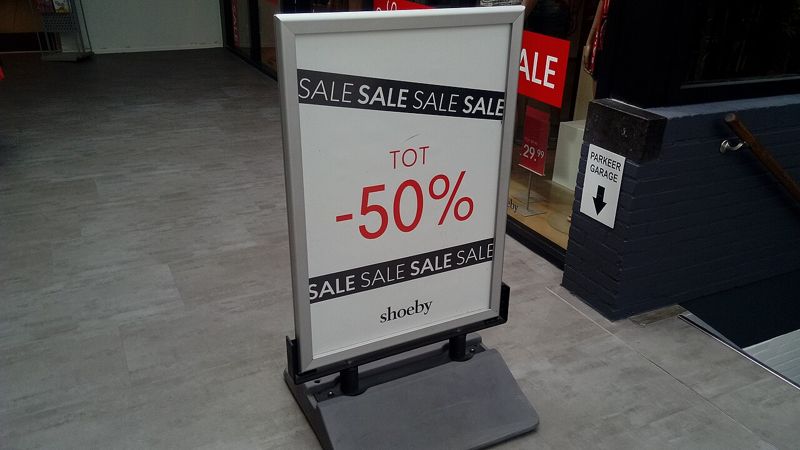
Featured image: a store sign advertising up to 50% off. Photo by Donald Trung Quoc Don, CC BY-SA 4.0, via Wikimedia Commons.
