
Last updated: November 26, 2026
Kilo Code 7.8.36, released November 26, 2026, tightens auto-approve and permission prompts. It caps a month of changes: Codestral is now the only autocomplete model, local Agent Manager worktrees can continue in Kilo Cloud, and Cloud Agent compute costs $0.60 to $1.20 per hour, billed per second.
Contents
- What changed in Kilo Code 7.8.26 to 7.8.36
- Codestral replaces Mercury Edit 2 in autocomplete
- Continue a local worktree in Cloud
- Safer auto-approve and permission prompts
- How to update and check the new behavior
- Pricing and availability
- Compared with earlier versions and other agents
- Limitations
- Frequently asked questions
What changed in Kilo Code 7.8.26 to 7.8.36
Kilo Code is an open-source coding agent for VS Code, JetBrains and the command line. Its November releases come out as a VS Code extension and a CLI with the same version number. Key changes from the GitHub release notes (v7.8.26 notes) (v7.8.32 notes) (v7.8.36 notes).
| Version | Released (ET) | Main changes |
|---|---|---|
| 7.8.26 | Nov 4, 5:52 p.m. | Continue a local worktree in Cloud; “Kilo Code: Show Open Tabs” command; OpenShell-ready Docker image; images from image models shown inline |
| 7.8.30 | Nov 16, 5:12 p.m. | Mercury Edit 2 and Next Edit retired; Codestral is the default autocomplete model; Session Host exposes hosted workspace diffs and pull request summaries |
| 7.8.31 | Nov 19, 3:09 p.m. | Telemetry preference can be changed from VS Code’s About tab |
| 7.8.36 | Nov 26, 1:33 p.m. | User-level auto-approve, escaped permission cards, environment-file prompts, extra GitHub repositories for organization Cloud workspaces |
Codestral replaces Mercury Edit 2 in autocomplete
Version 7.8.30 retired the Mercury Edit 2 autocomplete models and the Next Edit feature. Codestral is now the default, and any saved Mercury or Inception selection switches to Codestral automatically. For developers using the SDK, client.kilo.edit is gone, and @kilocode/kilo-gateway no longer exports ./edit or ./edit-prompt (v7.8.32 notes, 7.8.30 section).
The autocomplete docs name the model as mistralai/codestral-2508 via the Kilo Gateway. It is on by default and shows suggestions as ghost text that you accept with Tab. A manual trigger (Cmd+L on Mac, Ctrl+L on Windows and Linux) works only after you enable kilo-code.new.autocomplete.enableSmartInlineTaskKeybinding, which is off by default. The status bar shows its state and running cost (Kilo autocomplete docs).
Why it matters: SDK code that calls the edit client will break after the upgrade.
Continue a local worktree in Cloud
Version 7.8.26 added a way to continue a local worktree in Cloud from Agent Manager. Kilo validates the branch, then copies the worktree’s open conversations. You can open the new Cloud workspace in a browser or copy its link. Failed or partial creations can be retried (v7.8.26 notes).
Later releases built on this. Version 7.8.30 added a JetBrains Add menu for local and Cloud tasks, and 7.8.36 lets the CLI list authorized extra GitHub repositories and include them when it creates an organization Cloud workspace through Session Host (v7.8.32 notes) (v7.8.36 notes).
Cloud Agents need a GitHub, GitLab or Bitbucket integration (Bitbucket is for organizations only). All Cloud Agent chats share one container, and each worktree has its own checkout directory (Kilo Cloud Agent docs).
Safer auto-approve and permission prompts
Most of the 7.8.36 changes deal with permissions (v7.8.36 notes):
- User-level auto-approve. The auto-approve setting now reads and writes only your user settings.
- Turning it off stops pending approvals. An automatic approval that is still being retried stops when you turn auto-approve off.
- Removing saved rules. Switching off a saved auto-approve or auto-deny rule in the permission prompt now deletes that rule.
- Escaped permission cards. Invisible and control characters in a request’s description, paths, commands and file names are shown as escapes such as
\u200d. - Environment files. Kilo asks before a shell command prints an environment file.
- Safer writes and moves. The write tool refuses to write if the target changed before it verifies it, and a patch that moves a file needs approval for the destination path.
How to update and check the new behavior
- In VS Code, open the Extensions view, find Kilo Code and install the update, then reload the window.
- For the CLI, download the archive for your system from the assets on the v7.8.36 release page, which include macOS, Linux and Windows builds.
- Open Settings and check the Auto Approve rules. Because auto-approve is now a user-level setting, review it once in your user settings (v7.8.36 notes).
- If you used Mercury Edit 2, check the autocomplete status bar item. It should show Codestral as active, along with its running cost (autocomplete docs).
- If you want autocomplete billed to your own Mistral account, add a Mistral API key through bring your own key (BYOK) (autocomplete docs).
- To hand off work, open Agent Manager, pick a local worktree and choose to continue it in Cloud, then open the workspace link (v7.8.26 notes).
- To manage telemetry from VS Code, open the About tab in Kilo settings. Telemetry stays off if Kilo config, VS Code or the environment turns it off (v7.8.32 notes, 7.8.31 section).
Pricing and availability
Autocomplete uses Kilo credits unless you add a Mistral key (autocomplete docs). Cloud Agent compute is billed per second while the container is awake, with no minimum charge, and it is charged separately from model inference. BYOK users still pay for compute (Cloud Agent docs).
| Cloud Agent size | Hourly rate |
|---|---|
| Docker | $0.60 |
| Small | $0.60 |
| Standard | $1.20 |
Your balance must hold at least $5 to launch a container; Kilo says this is not an extra charge (Cloud Agent docs).
Compared with earlier versions and other agents
Before 7.8.30, Kilo offered Mercury Edit 2 models and Next Edit next to Codestral; now Codestral is the only option named in the notes (v7.8.32 notes). In 7.8.36, auto-approve became a user-level setting (v7.8.36 notes).
Among other open-source agents, the Cline 4.1.27 guide to CLI yolo mode shows Cline’s CLI starting one-shot runs in yolo mode, while Kilo’s November work makes approvals harder to bypass by accident. For a terminal-first agent with its own automations, see our OpenCode 2.4 guide to automations and browser tools, and for GitHub’s agent, the GitHub Copilot CLI 1.0.116 guide. If you plan to pay Mistral directly for Codestral, check Mistral API pricing first.
Limitations
- Next Edit and Mercury Edit 2 are gone, with no replacement named in the notes (v7.8.32 notes).
- MCP support in Cloud Agents is listed as coming, Docker-based MCP servers will not be supported, and global skills in
~/.kilo/skills/are not available there (Cloud Agent docs). - The manual autocomplete shortcut stays off until you enable its setting (autocomplete docs).
Frequently asked questions
What is new in Kilo Code 7.8.36?
Released November 26, 2026, it makes auto-approve a user-level setting, stops pending automatic approvals when auto-approve is turned off, shows hidden characters as escapes in permission cards, and asks before a shell command prints an environment file.
Which autocomplete model does Kilo Code use now?
Codestral by Mistral AI (mistralai/codestral-2508). Version 7.8.30 retired the Mercury Edit 2 autocomplete models and Next Edit, and saved Mercury or Inception selections now use Codestral.
Is Kilo Code autocomplete free?
Not by default. Autocomplete requests go through the Kilo Gateway and use Kilo credits unless you add your own Mistral API key. With your own key, your Mistral plan and limits apply.
How much does Kilo Code Cloud Agent cost?
Compute is billed per second while the container is awake: $0.60 per hour for Docker and Small, and $1.20 per hour for Standard. Model inference is charged separately, and your balance must hold at least $5 to launch a container.
Can I move a local Kilo Code session to the cloud?
Yes. Since version 7.8.26, Agent Manager can continue a local worktree in Cloud. It copies the open conversations, and you can open the Cloud workspace in a browser.
Sources
- Kilo Code v7.8.36 release notes (GitHub)
- Kilo Code v7.8.32 release notes, including 7.8.30 and 7.8.31 (GitHub)
- Kilo Code v7.8.26 release notes (GitHub)
- Kilo docs: Autocomplete
- Kilo docs: Cloud Agent
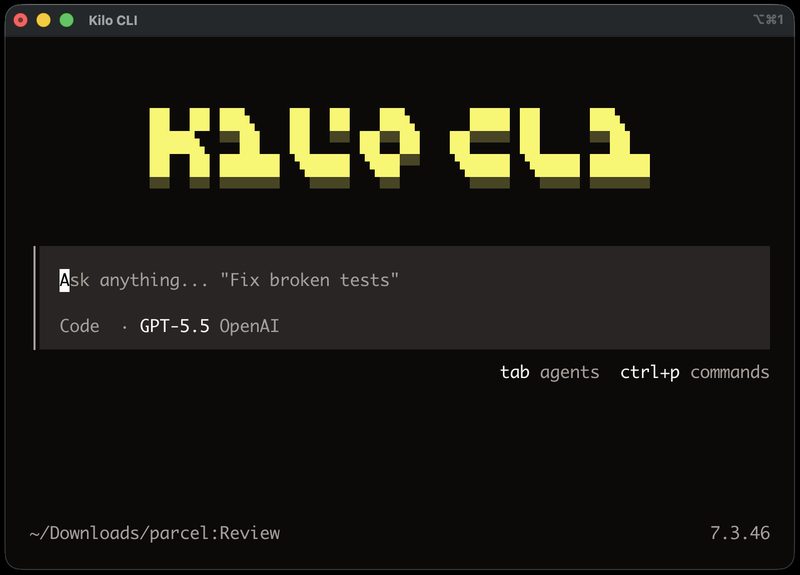
Featured image: Kilo CLI start screen (an earlier 7.3 build), from the Kilo Code GitHub repository, MIT license, via Wikimedia Commons. FreeAnswers is not affiliated with Kilo Code.
