
Last updated: October 29, 2026
Kimi K3.1 Pro, released October 23, 2026, is Moonshot AI’s new flagship model. It keeps a 1-million-token context, always reasons, and improves on Kimi K3 in coding, 3D work and finance. The API model is kimi-k3.1-pro at $2 per million input and $10 per million output tokens.
A faster variant, K3.1 Pro Highspeed, launched at the same time, and Moonshot says full open weights will follow by November 4, 2026 (Kimi K3.1 Pro tech blog). This guide covers what changed, how to call it, and the settings that matter.
Contents
- What’s new
- K3.1 Pro vs K3 and Highspeed
- Where to use it and plans
- How to call the API
- Settings and prompt patterns
- Use it in Codex
- Limitations
- Frequently asked questions
What’s new in Kimi K3.1 Pro
Moonshot calls K3.1 Pro its “most capable 3T-class open-weight model to date.” It is a post-trained version of Kimi K3, built with substantially larger post-training compute and joint reinforcement learning across hundreds of domains.
The main changes Moonshot reports are:
- Coding: 65.7% on Terminal-Bench 4.0, which Moonshot places ahead of GPT-6 Astra (58.2%) and just behind Claude Opus 5.5 (66.4%). On its internal Kimi Code Bench 3.0 Long-horizon, K3.1 Pro scores 61.2% against 55.95% for K3.
- 3D and design: 92.7% on BenchCAD with tools, and stronger parametric modeling through Blender and CAD scripts. A 3D Make feature is now live on kimi.ai and in the Kimi app.
- Finance: a state-of-the-art 64.4 on OfficeQA Pro v2, plus internal gains of 7.2 points in financial modeling and 11.6 points in financial research over K3.
- Factual accuracy: on Moonshot’s internal Kimi Hallu Bench Hard stress test, the claim-level hallucination rate fell from 23.4% for K3 to 8.3%. Moonshot notes this is not an overall error rate.
- Cyber controls: Moonshot says it removed cyber-related training data for the open-weight release, which lowers its in-house xdev-bench-hard vulnerability score from 90.5% to 81.0%.
All benchmark figures above are Moonshot’s own, run at maximum reasoning effort.
Kimi K3.1 Pro vs K3 and Highspeed
Prices come from Moonshot’s K3.1 Pro pricing page, in US dollars per million tokens before tax:
| Item | K3.1 Pro | K3.1 Pro Highspeed | K3 |
|---|---|---|---|
| API model ID | kimi-k3.1-pro | kimi-k3.1-pro-highspeed | Kimi K3 |
| Input | $2.00 | $4.00 | $3.00 |
| Output | $10.00 | $20.00 | $15.00 |
| Cached input | $0.20 | $0.20 | $0.30 |
| Cache write (5 min / 1 h) | $2.00 / $4.00 | $4.00 / $8.00 | Not compared on the page |
| Context window | 1,048,576 tokens | 1,048,576 tokens | 1,048,576 tokens (K3 series) |
| Speed | Baseline | 2 to 3 times faster | Previous generation |
Standard K3.1 Pro is one-third cheaper than K3 on input, output and cached input. There is no price tier by context length. Simon Willison reported that the $2 and $10 rates are half the price of Claude Opus 5.5 (Simon Willison’s weblog).
For other open-weight options this month, compare our DeepSeek V4.1 Flash power-user guide and our Mistral Large 4 guide.
Where to use Kimi K3.1 Pro and which plan you need
K3.1 Pro is live on kimi.ai, the Kimi mobile apps, the Kimi Work desktop app (version 3.1.0 or later for Windows and Apple silicon Macs), Kimi Code and the Kimi API. In Kimi Code, select it with the /model command. Kimi Enterprise admins must turn it on, because access is off by default.
Moonshot’s membership table, with effective monthly prices on annual billing:
- Free ($0): limited K3.1 Pro use on the web and in Kimi Work.
- Plus ($15): adds K3.1 Pro in Kimi Code.
- Pro ($31): adds K3.1 Pro Highspeed across web, Kimi Work and Kimi Code, plus Goal mode.
- Max ($79) and Ultra ($159): add extra-long chat capacity of up to 1M tokens and higher allowances.
A membership does not cover API usage. The API is billed separately, pay as you go.
How to call the Kimi K3.1 Pro API
The K3.1 Pro API quickstart uses the OpenAI SDK. The steps are:
- Top up your account. K3.1 Pro unlocks after a successful top-up of at least $1. Your total top-ups also set your rate-limit tier.
- Create an API key in the Kimi API Platform console and store it as
MOONSHOT_API_KEY. - Install the SDK with
pip install --upgrade 'openai>=1.0'(Python 3.9 or newer). - Point the client at
https://api.moonshot.ai/v1. - Send a request with
model="kimi-k3.1-pro", orkimi-k3.1-pro-highspeedfor faster output. - Set reasoning effort with the top-level
reasoning_effortfield:low,highormax.
from openai import OpenAI
import os

client = OpenAI(api_key=os.environ["MOONSHOT_API_KEY"],
                base_url="https://api.moonshot.ai/v1")
r = client.chat.completions.create(
    model="kimi-k3.1-pro",
    reasoning_effort="high",
    messages=[{"role": "user", "content": "Review this function for edge cases."}],
)
print(r.choices[0].message.content)
The platform also supports the Responses and Anthropic-compatible Messages APIs, so the Anthropic SDK and tools such as Claude Code can connect too.
Settings and prompt patterns for Kimi K3.1 Pro
- Match effort to the task. The default is
max. Start withlowfor extraction or short edits, and keepmaxfor long debugging or multi-step agent runs. - Raise output limits for long jobs.
max_completion_tokensdefaults to 131,072 and can go up to 1,048,576. - Pass back the full assistant message. In multi-turn chats and tool loops, return it unchanged, including
reasoning_contentandtool_calls. - Load tools on demand. Dynamic tool loading lets you place a tool definition in a system message partway through a conversation instead of sending every tool up front.
- Choose a cache TTL. Caching is automatic with a 5-minute default. For gaps over five minutes, set
prompt_cache_options.ttlto1hto avoid repeat writes.
For long documents, keep stable material in the system message and vary only the question, so repeated prefixes bill at the $0.20 cached rate.
Use Kimi K3.1 Pro in Codex and other coding agents
Beyond Kimi Code, Moonshot’s Codex setup guide connects through the native Responses API with no proxy:
model = "kimi-k3.1-pro"
model_provider = "kimi"
model_context_window = 1048576

[model_providers.kimi]
name = "Kimi"
base_url = "https://api.moonshot.ai/v1"
env_key = "KIMI_API_KEY"
wire_api = "responses"
Export KIMI_API_KEY in your shell rather than writing it in the file, then restart Codex Desktop or the CLI. Without model_context_window, Codex falls back to default metadata, which Moonshot says can degrade performance.
For Anthropic’s agent, see our Claude Code power-user guide.
Limitations to plan around
- Thinking cannot be turned off, so expect reasoning tokens on every call.
temperature(1.0),top_p(0.95),n(1) and both penalties are fixed. Omit them from requests.- Vision input does not accept public image URLs. Send base64 or an uploaded
ms://file ID. - Moonshot says its web search tool is being updated and is not recommended for production for now.
- Codex CLI cannot send video, although the K3.1 Pro API accepts it directly.
- The open weights were not yet published when this guide was written. Moonshot’s stated date is November 4, 2026.
For background on scrutiny of Chinese AI labs, read our explainer on OpenAI’s distillation claims about Moonshot AI.
Frequently asked questions
What is Kimi K3.1 Pro?
Kimi K3.1 Pro is Moonshot AI’s flagship model and the first in its K3.1 series. Moonshot describes it as a post-trained version of Kimi K3 with a 1-million-token context window and gains in coding, 3D creation, financial research and agentic work.
When was Kimi K3.1 Pro released?
Kimi K3.1 Pro and K3.1 Pro Highspeed became available on the Kimi API and in Kimi apps on October 23, 2026. Moonshot says the full model weights will be released by November 4, 2026.
How much does the Kimi K3.1 Pro API cost?
Moonshot lists kimi-k3.1-pro at $2.00 per million input tokens, $10.00 per million output tokens and $0.20 per million cached input tokens. Cache writes cost $2.00 for a 5-minute TTL or $4.00 for a 1-hour TTL.
What is the difference between K3.1 Pro and K3.1 Pro Highspeed?
Highspeed runs 2 to 3 times faster, according to Moonshot, and doubles the regular input, output and cache-write rates. Its cached input rate stays at $0.20 per million tokens. In Kimi apps, Highspeed requires the Pro plan or higher.
Can I turn off thinking in Kimi K3.1 Pro?
No. K3.1 Pro always reasons. You can set reasoning_effort to low, high or max, and max is the default. Moonshot suggests low when reasoning takes too long.
Can I use Kimi K3.1 Pro in Codex?
Yes. Moonshot’s guide adds Kimi as a model provider in ~/.codex/config.toml with base_url https://api.moonshot.ai/v1, wire_api set to responses and model_context_window set to 1048576.
Sources
- Kimi: Introducing Kimi K3.1 Pro (tech blog)
- Kimi API Platform: Kimi K3.1 Pro quickstart
- Kimi: Kimi K3.1 Pro pricing, membership plans and API costs
- Kimi API Platform: Use Kimi K3.1 Pro in Codex
- Simon Willison: Introducing Kimi K3.1 Pro (October 23, 2026)
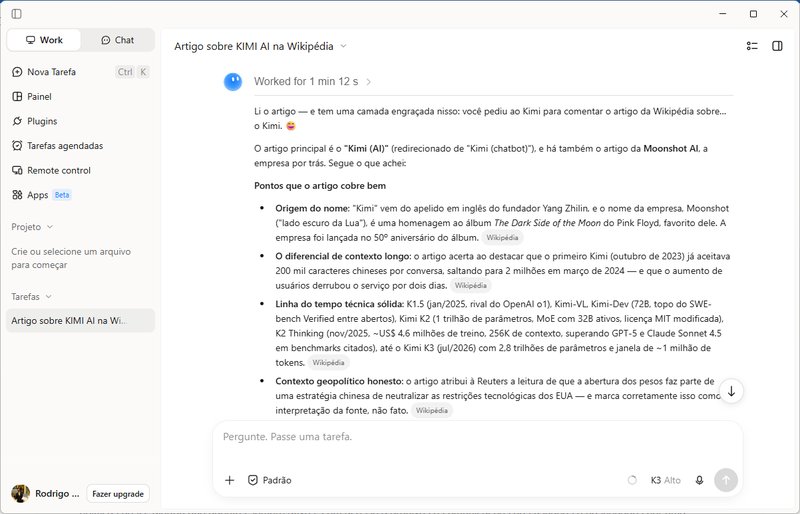
Image: Kimi Work desktop app screenshot by Rodrigo Padula, CC BY 4.0, via Wikimedia Commons. Resized.

3 thoughts on “Kimi K3.1 Pro: Power-User Guide to the API, Pricing, Highspeed and Setup”