
Last updated: November 28, 2026
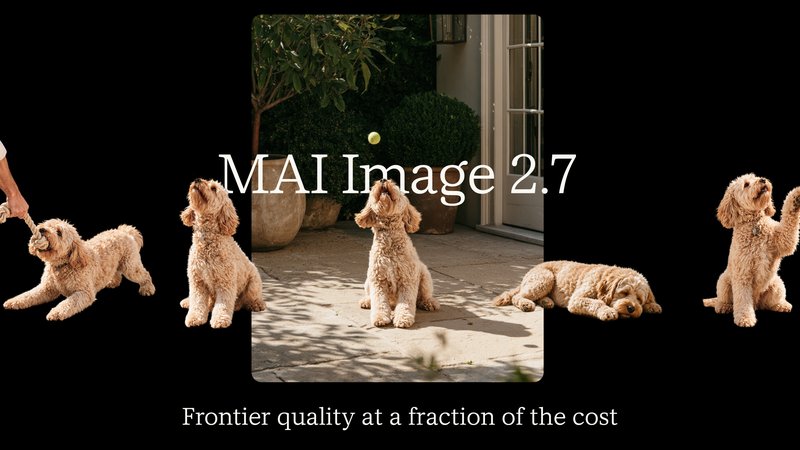
MAI Image 2.7 is Microsoft AI’s new image generation and editing model, announced November 17, 2026 with a faster MAI Image 2.7 Flash. It ranks first on Artificial Analysis image editing, supports transparent backgrounds and up to five reference images, and costs about $35 per 1,000 images in Microsoft Foundry preview.
Contents
- What’s new at a glance
- Pricing and plan availability
- How to try it in MAI Labs and Canvas
- How to call MAI Image 2.7 in Foundry
- MAI Image 2.7 vs 2.6 and GPT Image 2.6
- Prompt patterns for precise edits
- Limitations to plan around
- Frequently asked questions
What’s new at a glance
Microsoft introduced two models and a new workspace on the same day (Microsoft AI launch post). The release was part of a wider Ignite lineup that also included MAI Code 2 and MAI Realtime 1 (Microsoft AI Ignite announcement).
For the rest of that lineup, see our MAI Realtime 1 guide to pricing and access and the MAI Code 2 guide to Flash and Copilot pricing.
- Two models: MAI-Image-2.7 for quality and MAI-Image-2.7-Flash for speed and cost. Both are version 2026-11-02 and listed as Preview in Foundry.
- Fine-grained edits: change an object’s color, material or position without disturbing the rest of the image, with consistency across successive edits.
- Transparent backgrounds: ready-to-use product images, logos and icons without manual cutouts.
- Multi-reference editing: the edits API accepts up to five JPEG or PNG reference images.
- Canvas: a new interactive workspace in MAI Labs, powered by the Flash model.
Microsoft reports that, as of November 16, 2026, MAI Image 2.7 ranked #1 on AA-Image-Editing v2.1 with 1,215 Elo across 5,478 votes, 4 Elo ahead of GPT Image 2.6 Sunburst (max) (launch post footnotes). These are Microsoft’s stated results.
Pricing and plan availability
| Item | MAI-Image-2.7 | MAI-Image-2.7-Flash |
|---|---|---|
| Foundry price (Microsoft) | About $35 per 1,000 images | About $10 per 1,000 images |
| Status | Public preview | Public preview |
| Model version | 2026-11-02 | 2026-11-02 |
| Deployment type | Global Standard | Global Standard |
| APIs | Generations and edits | Generations and edits |
| Prompt limit | 32,000 tokens | 32,000 tokens |
| Best for | Text rendering, portraits, brand and photorealistic work | Same scenarios at lower cost and higher speed |
Prices and status come from the launch post; versions, deployment type and the prompt limit come from Microsoft Learn (Microsoft Learn). On OpenRouter, MAI-Image-2.7 is billed by tokens at $8 per million input and $34 per million output tokens (OpenRouter model page).
API access runs through Foundry, which needs an Azure subscription with a valid payment method, and the Cognitive Services Contributor role to deploy models.
How to try it in MAI Labs and Canvas
- Open MAI Labs from the Get started section of the Microsoft AI launch post.
- Choose MAI Image 2.7 or MAI Image 2.7 Flash for a standard prompt-to-image test.
- Open Canvas, which runs on the Flash model, and start from a prompt or a rough sketch.
- Select any part of the image to replace, move or restyle it, then repeat until the layout is right.
- Move the final prompt and settings into Foundry when you need API access, quotas and billing.
Microsoft says Canvas can turn rough ideas into polished diagrams (launch post), which makes it useful for slides and documentation drafts.
How to call MAI Image 2.7 in Foundry
Microsoft Learn documents a dedicated MAI image API rather than the OpenAI images endpoint (Microsoft Learn). These steps follow that guide:
- Create a Foundry project in a region that supports the model.
- Deploy it in the portal, or with the Azure CLI using
--model-name "MAI-Image-2.7",--model-format Microsoft,--model-version 2026-11-02and--sku-name GlobalStandard. - Copy the endpoint and key from Keys and Endpoint, or use a Microsoft Entra ID token scoped to
https://cognitiveservices.azure.com/.default. - Send a JSON POST to
https://<resource-name>.services.ai.azure.com/mai/v1/images/generationswithmodel(your deployment name),prompt, and optionalwidth,heightandbackground. - For edits, send multipart form data to
/mai/v1/images/editsand repeat theimagefield for up to five references. - Decode
data[0].b64_jsonfrom the response and save it as a PNG file.
Microsoft’s own example generates a 2048 x 2048 image with "background": "transparent" on MAI-Image-2.7. Width and height must each be at least 768 pixels, and the output format is always PNG.
Microsoft Learn also documents common errors: 404 for a wrong deployment name or endpoint, 400 for missing fields or invalid dimensions, and 429 for exceeding your quota.
MAI Image 2.7 vs 2.6 and GPT Image 2.6
| Feature | MAI Image 2.7 | MAI Image 2.6 | GPT Image 2.6 Sunburst (max) |
|---|---|---|---|
| Transparent background | Yes | Not listed | See OpenAI docs |
| Multi-reference editing | Yes, up to five images | Edits API accepts up to five images | See OpenAI docs |
| auto_aspect_ratio and web_grounding | Not supported per docs | Supported | Not applicable |
| Price | About $35 per 1,000 images | Not stated in sources | About five times MAI Image 2.7, per Microsoft |
The 2.6 column comes from Microsoft Learn, and the GPT Image comparison is Microsoft’s claim that 2.7 beats it “at just one-fifth of the cost” (Ignite post). For OpenAI’s side, read our ChatGPT Images 2.6 guide to API models and pricing.
If you need open weights instead of a hosted API, compare it with NVIDIA’s open Nemotron-Labs-Image model. Adobe says MAI Image 2.7 will give Firefly creators another model option; see our Firefly AI Assistant guide to the model selector.
Prompt patterns for precise edits
Microsoft highlights precise, layout-preserving edits. These prompt patterns match that strength:
- Scope the change: “Change only the sofa to dark green velvet. Keep the room, lighting and camera angle unchanged.”
- Name the references: when sending several images, describe each one in order, such as “the person from the first image wearing the jacket from the second image.”
- Quote exact text: put signage or label wording in quotation marks and say it is the only text in the scene.
- Ask for cutouts: combine
background: transparentwith “full object, centered, no shadow” for product and icon assets. - Iterate in steps: make one change per request so earlier edits stay consistent.
Limitations to plan around
- Preview terms: Microsoft offers no service-level agreement for preview models and does not recommend them for production workloads.
- Missing 2.7 quotas: the Learn rate-limit table lists only 2.6 and 2.5 models, so check your Foundry quota page before scaling.
- No web grounding: per the docs,
auto_aspect_ratioandweb_groundingwork only on 2.6 models. - Minors: photorealistic edits involving minors are blocked by default unless access is approved.
- Self-reported rankings: leaderboard positions are snapshots and can change.
Frequently asked questions
What is MAI Image 2.7?
MAI Image 2.7 is Microsoft AI’s newest image generation and editing model, announced on November 17, 2026. It ships with a faster, cheaper MAI Image 2.7 Flash variant and is in public preview in Microsoft Foundry.
How much does MAI Image 2.7 cost?
Microsoft lists MAI Image 2.7 at about $35 per 1,000 images and MAI Image 2.7 Flash at about $10 per 1,000 images in the Foundry public preview. OpenRouter lists token pricing of $8 per million input and $34 per million output tokens for MAI-Image-2.7.
What is the difference between MAI Image 2.7 and MAI Image 2.7 Flash?
Microsoft Learn says Flash has the same generation and editing capabilities as MAI-Image-2.7 but is faster and lower cost. Choose the full model for the hardest edits, text rendering and portraits, and Flash for high-volume work.
Can I try MAI Image 2.7 for free?
Microsoft says you can try both models in MAI Labs, including the new Canvas workspace. API use through Foundry requires an Azure subscription with a valid payment method.
Does MAI Image 2.7 support transparent backgrounds?
Yes. Set the background parameter to transparent in a generations request. Microsoft’s launch post says both 2.7 models support transparent backgrounds, and output is always PNG.
Where else is MAI Image 2.7 available?
Besides Microsoft Foundry and MAI Labs, Microsoft names fal, Genspark, OpenRouter and Vercel as partners. MAI Image is also the default model family behind Bing Image Creator.
Sources
- Microsoft AI: MAI Image 2.7 launch post (Nov 17, 2026)
- Microsoft Learn: Deploy and use MAI image models in Microsoft Foundry
- Microsoft AI: Seven new world-class models (Ignite 2026)
- OpenRouter: MAI-Image-2.7 model page