
Last updated: November 21, 2026
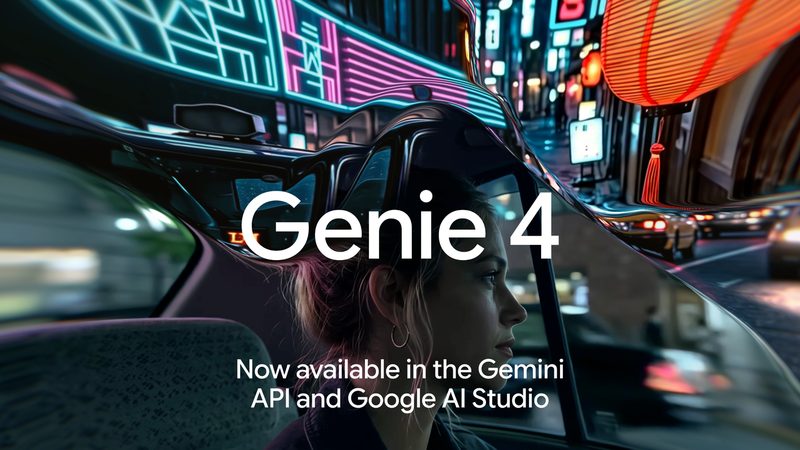
Genie 4 became generally available in the Gemini API and Google AI Studio on November 19, 2026. The genie-4 model streams a playable 720p, 24 fps world with stereo audio that you steer with WASD keys and text prompts. It is paid-tier only, costs about $0.10 per second, and caps sessions at 120 seconds.
Contents
- What is new
- Specifications at a glance
- Pricing and rate limits
- How to start a Genie 4 session
- Controls and the event protocol
- Prompt patterns that work
- Genie 4 vs. Omni 1.2 Flash and Project Genie
- Known limitations
- Frequently asked questions
What is new
Google DeepMind announced Genie 4 on October 27, 2026 as a research preview. On November 18, Google opened it to eligible Google AI Ultra subscribers in Project Genie. A day later, the Google developer blog announced developer access through the Gemini API, using the Interactions API, and Google AI Studio.
For developers, a world model is now a standard, billable API model: start from text, an image, or both, then change weather, lighting, objects or events while the world runs. Every output carries an imperceptible SynthID watermark.
Related Interactions API models include Gemini 4 Neon and Gemini Decision 1 and the Decisions API.
Specifications at a glance
Figures below come from the genie-4 model page and the Genie 4 developer guide.
| Item | Genie 4 in the Gemini API |
|---|---|
| Model code | genie-4 (stable), Interactions API v1beta |
| Inputs | Text world prompt, one 16:9 reference image, keyboard and camera actions, mid-session text |
| Output | 1280×720 video at 24 fps with 48 kHz stereo audio |
| Transports | WebRTC (Opus audio) or WebSocket (JPEG frames and 16-bit PCM) |
| Session length | Up to 120 seconds; strongest coherence in the first 45 to 90 seconds |
| Startup time | About 5 to 9 seconds before the first frame |
| Serving regions | United States, Western Europe and Japan |
| Not supported | Function calling, Search grounding, structured outputs, caching, Batch, Flex, Priority |
Pricing and rate limits
The Gemini API pricing page lists genie-4 on the paid tier only. Input costs $1.50 per 1M tokens for text or a reference image. Output costs $9.00 per 1M text tokens and $17.50 per 1M video tokens, with audio included in the video rate.
Video bills at 240 tokens per frame, or 5,760 tokens per second at 24 fps. Google puts that at about $0.10 per second, or about $6.05 per minute. By our calculation, a full 120-second session is about 691,200 video tokens, or roughly $12.10 before input costs.
The rate limits page caps concurrent sessions and daily requests by usage tier. In-session key presses and text inputs do not count.
| Usage tier | Concurrent active sessions | Requests per day |
|---|---|---|
| Free | Not supported | Not supported |
| Tier 1 | 2 | 50 |
| Tier 2 | 5 | 250 |
| Tier 3 | 10 | 1,000 |
How to start a Genie 4 session
Install the latest google-genai (Python) or @google/genai (JavaScript) SDK, then:
- Test in Google AI Studio. The Live playground needs a paid-tier key and offers starter worlds and key bindings.
- Create the interaction on your server with
interactions.createandmodel: 'genie-4'. For browser apps, mint a single-session token withinteractions.authTokens.create(interaction.id)so your API key never reaches the client. - Connect with
interactions.connect, usingtransport: 'webrtc'for browsers or WebSocket for Python and Node.js. - Send one
world_setupevent with aworld_prompt, areference_image, or both. - Steer with
user_actionkey events and textinputevents. - Call
session.complete()when the user is done. Closing a tab or callingdetach()does not stop generation or billing.
Google recommends WebRTC for browsers because of its lower latency. WebSocket suits scripts and frame capture but adds about 33% base64 overhead. On WebRTC, keep seed images as 16:9 JPEGs under 48 KB.
Controls and the event protocol
W, A, S and D move the viewer, and the arrow keys pan and tilt the camera. Send key_down on press and key_up on release; these respond in about 0.2 to 0.5 seconds.
The schema also accepts key_e and space, but they have no built-in jump or interact behavior. For custom actions, intercept keys such as E, Q or R in your client and send a descriptive text input instead. Text changes take 1 to 2 seconds.
Google advises sending a one-off action prompt 10 times at 150 ms intervals, then waiting about 2 seconds before a conflicting prompt. Wrap a line in quotation marks to make a character speak.
Prompt patterns that work
The Genie 4 prompt and controls guide notes that prompts written like movie trailers behave unpredictably. Its tested patterns include:
- Causal rules: add
Rule:clauses tied to a concrete object, such as “Pulling the red lever makes the stars outside the window stretch into bright hyperspace streaks.” Place the trigger “far away from me” so it does not fire at setup. - Key-bound verbs: map E, Q and R to text prompts such as “Make heavy snow fall across the painted village.”
- Image seeds: use 16:9 stylized art, renders or empty landscapes. Photos of real people, public figures or brand logos often trip safety filters.
- Foley audio: ask for physical sounds such as footsteps on wet cobblestone or water lapping. Requests for soundtracks and drones such as “engine hum” are stripped or rewritten.
- Visible propulsion: state how the viewer moves in the first sentence, such as “sitting in the driver’s seat,” or the model may invent a vehicle mid-session.
Genie 4 vs. Omni 1.2 Flash and Project Genie
Our Gemini Omni 1.2 Flash guide covers the offline clip model, and our Gemini video generation limit answer covers app quotas.
| Need | Model | What it offers |
|---|---|---|
| Live, steerable worlds | Genie 4 (genie-4) | 24 fps interactive stream, up to 120 seconds |
| Finished video clips | Gemini Omni 1.2 Flash | 3 to 15 second clips, editing, extension to 30 seconds, 4K upsampling, up to 6 reference images |
| Voice agents | Gemini 3.8 Live | Microphone and camera input, tool calling, Search grounding |
| No-code exploration | Project Genie (AI Ultra) | Genie 4 plus Genie 3 with up to 3-minute runs and 360-degree panorama seeds |
According to the Project Genie announcement, Genie 4 is the first to pair its visuals with real-time native audio; Genie 3 stays in the model picker for longer runs and panorama-seeded spaces.
Known limitations
- Short memory: objects out of view for 8 seconds or more, or after a 360-degree turn, can shift or reset.
- Fixed format: 16:9 at 720p and 24 fps only.
- Latency outside core regions: beyond North America, Western and Central Europe and East Asia, round trips over 150 ms slow steering and can lower frame rate.
- Safety filters: real people, public figures and brand IP can block setup or end a stream mid-session.
- Text and counts: signs and clocks deform, and counts drift.
Frequently asked questions
What is the Genie 4 API?
It is Google’s real-time world model, genie-4, offered through the Gemini Interactions API (v1beta) and Google AI Studio since November 19, 2026. You seed a world with text, a 16:9 image, or both, then steer a live 720p, 24 fps stream with synchronized stereo audio using keys and text prompts.
How much does Genie 4 cost in the Gemini API?
Paid tier only: $1.50 per 1M input tokens, $9.00 per 1M text output tokens and $17.50 per 1M video output tokens, with audio included. Video bills at 240 tokens per frame, which Google puts at about $0.10 per second, or about $6.05 per minute.
How long can a Genie 4 session last?
Up to 120 seconds per session. Google says coherence is strongest in the first 45 to 90 seconds.
Does Genie 4 support function calling or search grounding?
No. The model page lists function calling, Google Search grounding, structured outputs, context caching, code execution and URL context as not supported. Sessions cannot be resumed.
How is Genie 4 different from Gemini Omni 1.2 Flash?
Genie 4 renders an interactive world live as you move. Gemini Omni 1.2 Flash generates fixed 3 to 15 second clips offline, with editing, extension up to 30 seconds and 4K upsampling.
Sources
- Google: Genie 4 now available through the Gemini API (November 19, 2026)
- Gemini API: Interactive world generation with Genie 4
- Gemini API: Genie 4 prompt and controls guide
- Gemini Developer API pricing
- Gemini API rate limits
Image: Google, Genie 4 announcement image (blog.google), resized; used for editorial purposes with credit. FreeAnswers is not affiliated with Google.