
Last updated: November 22, 2026
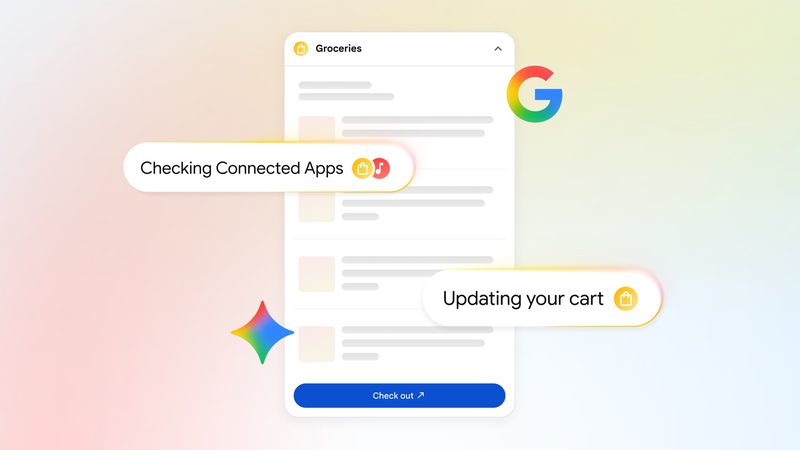
Gemini Connected Apps now include Target, Albertsons, Safeway and Shaw’s. Since November 20, 2026, Google has been rolling them out in the U.S. through AI Mode in Search and the Gemini app, so you can ask for a Thanksgiving grocery cart in plain language, link your store account and check out.
Contents
- What changed on November 20
- Who can use it
- How to build a Thanksgiving cart
- Using the same apps in the Gemini app
- Connected Apps vs Universal Cart vs Instacart
- A Black Friday week workflow
- How to review or remove linked apps
- Limitations and cautions
- Frequently asked questions
What changed on November 20
Google announced new Connected Apps on November 20, 2026. In the U.S., grocery apps for Albertsons, Safeway, Shaw’s and Target are rolling out through Search and the Gemini app. Google says they help you build an order and check out, and that they are powered by the Universal Commerce Protocol.
The same post adds Experian to Search for checking your credit rating and shopping for a personal loan, H&R Block in Search for estimating taxes and refunds, and Angi and Thumbtack in Search “in the coming weeks.”
Before this update, Google’s Connected Apps in Search help page listed Instacart as the only grocery app.
Who can use it
Google lists these requirements:
- A signed-in Google Account.
- An account with the store. Most apps need your own account, linked to Google.
- U.S. and English for Search, according to the mobile versions of the Search help page.
- Age limits set by each app. In Google’s Gemini Connected Apps table, Instacart requires age 13 or over and Experian requires 18 or over, both with personal Google Accounts only.
- History turned on in Gemini. If Gemini History is off, Connected Apps do not work on gemini.google.com, iOS devices or smart watches.
Neither the announcement nor the help pages mention a paid plan requirement.
How to build a Thanksgiving cart in AI Mode
These steps follow Google’s Search help page.
- Sign in to your Google Account, open Google Search and select AI Mode. You can also go straight to google.com/ai.
- Start your request with @ and the app name. Google says it is best to name the app at the start, for example: “@Target build a cart for a Thanksgiving dinner for eight, including a 14-pound turkey and two pies.”
- If the app is not linked yet, select Link and sign in to your account with that store. If it is already linked, you will see an option to continue.
- Review the cart AI Mode builds. Ask for changes in the same thread.
- Finish the order. Google says you may be directed to the connected app to finalize the action, as it describes for Instacart checkout and order tracking.
- To switch stores, name the other app in your next request. Google may default to the last app you used for a task.
Google recommends turning on history and personalized recommendations for Search; without it, you cannot pick up earlier searches.
Using the same apps in the Gemini app
The Gemini Connected Apps help page describes a similar flow. In the prompt box, type @ and select the app. If it is not connected, Gemini either connects it or asks for your permission first.
To browse what each app can do, open gemini.google.com, select Customize in the sidebar (under More if you do not see it), then Connectors. Each app’s details page lists supported and unsupported actions and example prompts. It is the quickest way to confirm whether Target has reached your account.
Gemini cannot use Connected Apps inside Google Messages for now, and listings vary by device. Google’s table lists Instacart in the Gemini web app, mobile app, Windows app and Gemini in Chrome, and in both chats and Tasks. If you schedule work with Tasks, see our Gemini Tasks guide to calls, Google Pay and limits.
Connected Apps vs Universal Cart vs Instacart
Google’s November 16 Black Friday post describes Universal Cart, a separate tool.
| Feature | New grocery Connected Apps | Universal Cart | Instacart Connected App |
|---|---|---|---|
| What it does | Builds a grocery order with one store and checks out | Collects items from many retailers in one cart | Builds grocery and household carts |
| Stores | Albertsons, Safeway, Shaw’s, Target | Items you add across retailers | Instacart |
| Where | AI Mode in Search and the Gemini app | Google Search and the Google app | AI Mode and the Gemini app |
| Checkout | Through the linked app; may hand off to the store | Google Pay in the cart, or transfer to the retailer site | In Instacart |
| Extras | Powered by the Universal Commerce Protocol | Price-drop and restock alerts, promo codes, card perks via Google Wallet | Available in Gemini chats and Tasks |
In short, use a store Connected App when you already know where you want to buy groceries, and use Universal Cart when you are comparing gifts across retailers. For other assistants that can shop for you, read our guides to Alexa for Shopping by text and ChatGPT Wallet purchases.
A Black Friday week workflow
Thanksgiving falls on November 26 this year. A practical way to combine Google’s tools:
- Plan the menu first. Ask AI Mode or Gemini for a menu sized to your guest count, then check timing against our turkey cooking times by weight.
- Turn the menu into a cart. Send the list to one store with an @ request.
- Order early. Thawing a frozen bird takes planning, so read how to thaw a turkey before you pick a delivery date.
- Handle gifts separately. Add Black Friday items to Universal Cart, where Google says you get price-drop alerts and promo codes.
How to review or remove linked apps
Linking gives Google access to your account on that app. To review or remove links, go to myaccount.google.com/connections, select the app and choose Delete all. Features that need the link then stop working on every device signed in to that Google Account.
In the Gemini web app, open Customize, then Connectors, and choose More options, then Disconnect.
Limitations and cautions
- Gradual rollout. When we checked on November 22, 2026, Google’s Search help page and Gemini table did not yet list the four new grocery apps, so they may not appear for you yet.
- AI can make mistakes. Google notes that AI responses may include errors, so check quantities, substitutions and the total before you pay.
- Last-used default. Google may reuse the last app you used for a task, so name the store each time if you shop at more than one.
Frequently asked questions
Which grocery stores work with Gemini Connected Apps?
On November 20, 2026, Google began rolling out Albertsons, Safeway, Shaw’s and Target as Connected Apps in the U.S., through both AI Mode in Search and the Gemini app. Instacart was already listed as a grocery app before this update.
Do Gemini Connected Apps cost anything?
Google’s announcement and help pages do not mention a paid Google AI plan for these apps. You need to be signed in to a Google Account, and most apps also need your own account with that store or service.
Does Google pay for my grocery order?
Not necessarily. Google says these apps help you build an order and check out, and its Search help page says you may be sent to the connected app to finalize the action, such as checkout and order tracking.
Why don’t I see Target in Gemini yet?
Google describes the update as a rollout, and when we checked on November 22, 2026, Google’s Gemini Connected Apps table and Search help page did not yet list Target, Albertsons, Safeway or Shaw’s. Availability also depends on country, language, age and device.
Sources
- Google: Get your year-end tasks done with new Connected Apps (November 20, 2026)
- Google Search Help: Use and manage Connected Apps in Search
- Gemini Apps Help: Use and manage Connected Apps in Gemini
- Gemini Apps Help: Connected Apps list and requirements
- Google: How to find the best Black Friday deals and shop smarter (November 16, 2026)
Image: Connected Apps grocery cart illustration, courtesy of Google, from its November 20, 2026 announcement; used for editorial purposes and resized. Google and Gemini are trademarks of Google LLC; FreeAnswers is not affiliated with Google.